Updating Payment Details
This article will show you how to Update your Placester Payment Details.
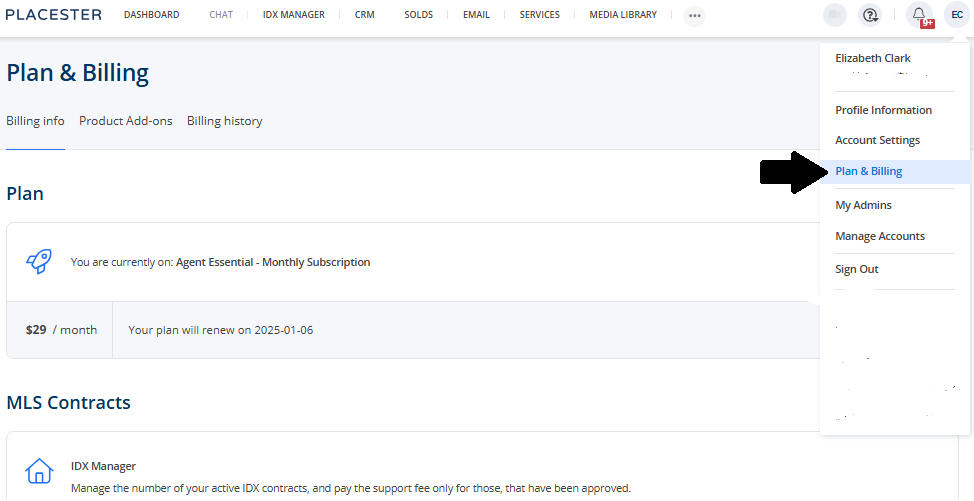
Upon logging in to your Placester site you will be routed first to your dashboard. Here, you can update your account email Profile Icon> Plan & Billing.
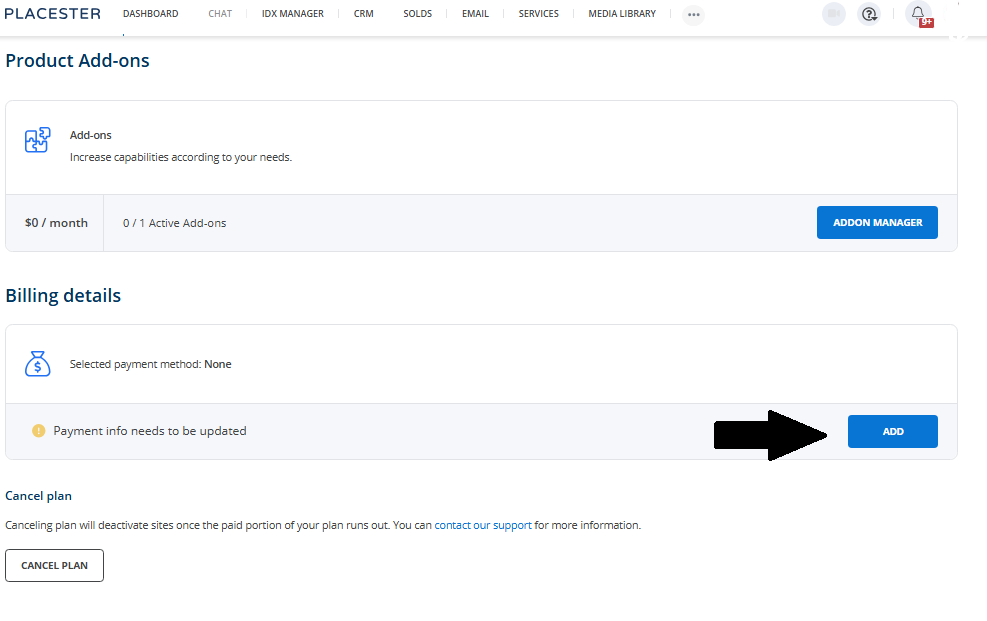
It will bring you to your Plan & Billing page. To update your billing/payment details, scroll down, look for the Billing details section, and click the Add button.
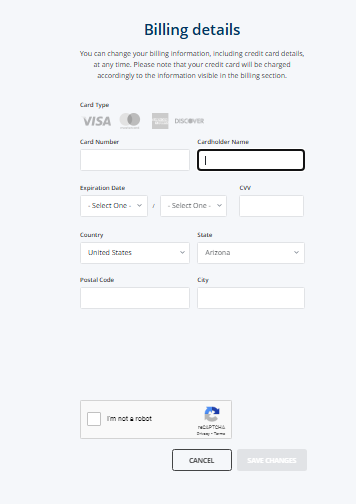
The next page is where you will add your new billing details. Once done adding your new billing details, click save changes.