Adding Your License Number to Your Site [Classic]
This article will show you how to Add your License Number to your site.
For IDX compliance, some MLSs require agents to have their license number visible on the homepage of their live site. This article will walk you through how you can add your license number to your Placester Site.
Navigating to Your Profile
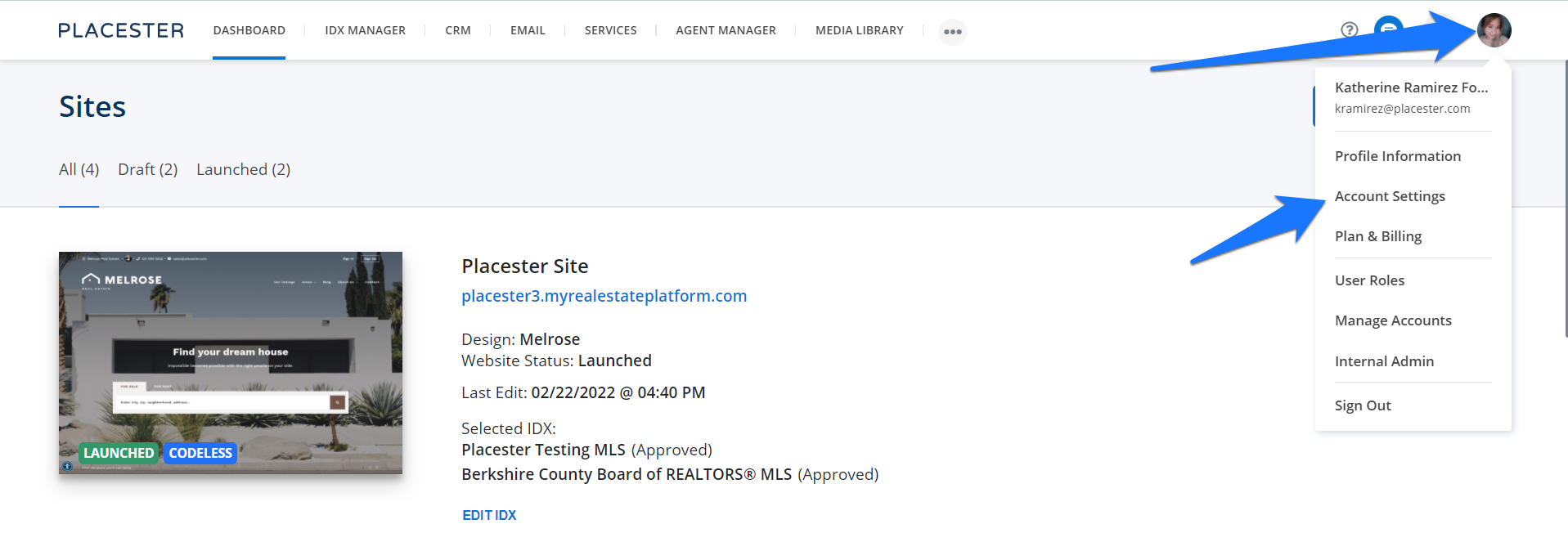
When viewing the Placester Dashboard, you’ll first want to click on the circle icon in the top right corner (it may have your profile image or your initials), and then click on Account Settings.
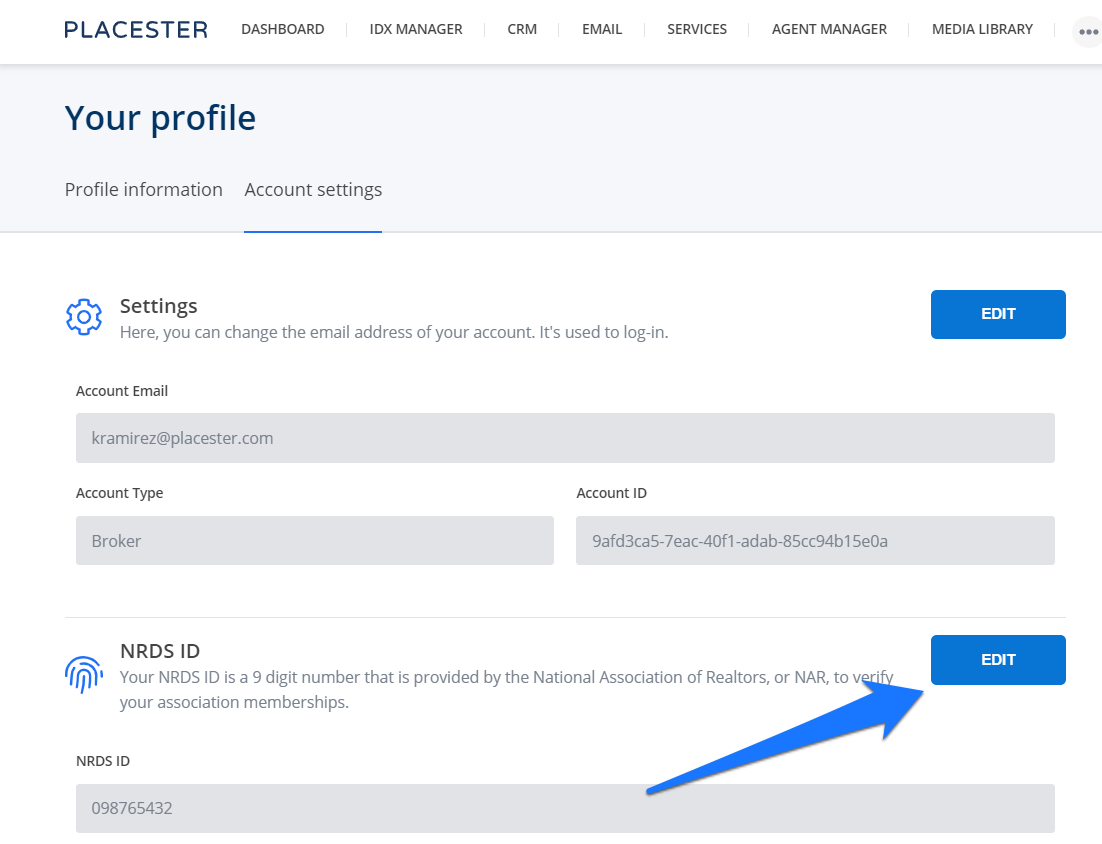
Next, it will bring you to your Profile page. Once you’ve pulled up your profile information, click on the “Edit” button.
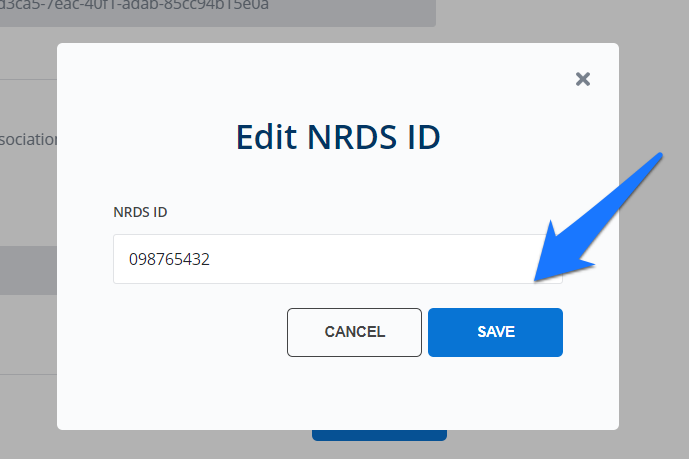
Once you're done, click the save button to save changes.
License Number
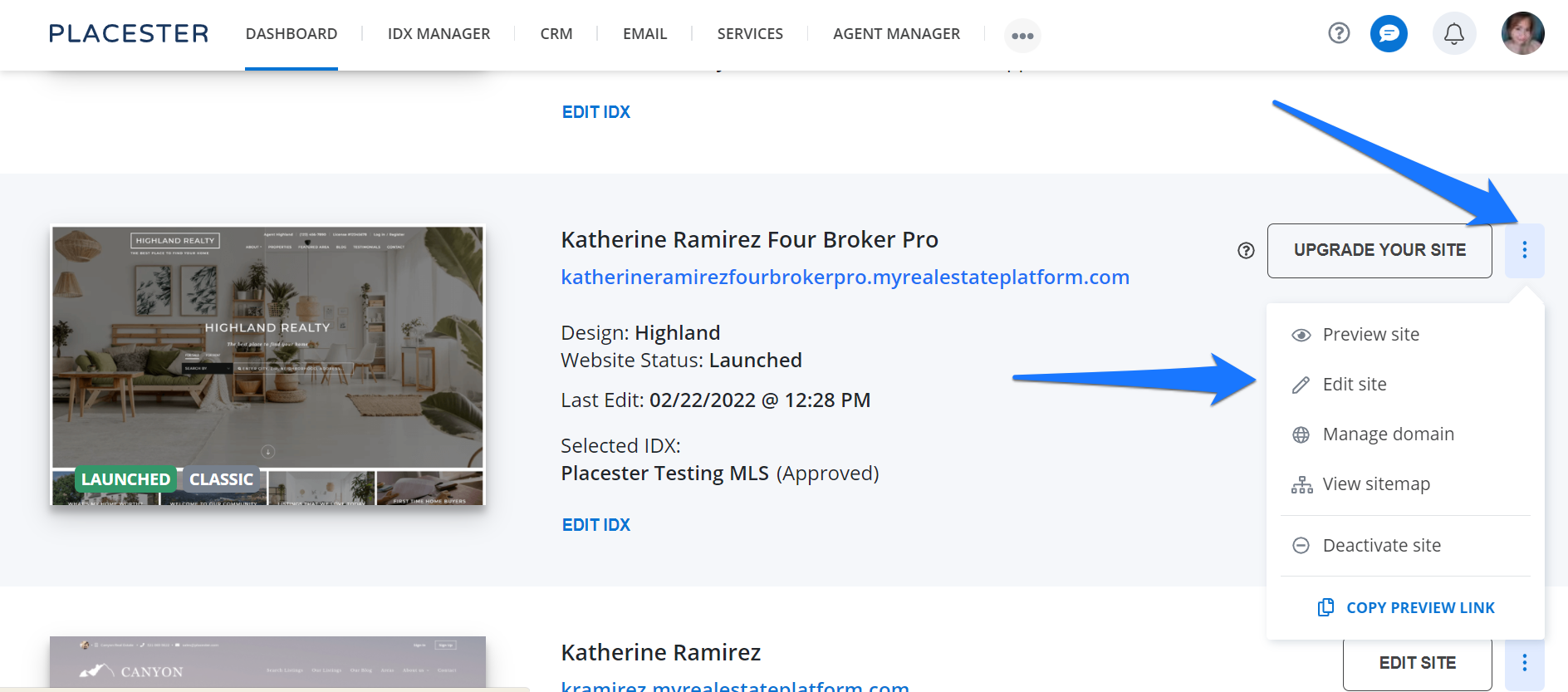
To update or add your license number, you will have to go back to your dashboard and click the 3 dots next to the Upgrade your site button. On the drop-down option, click edit site.
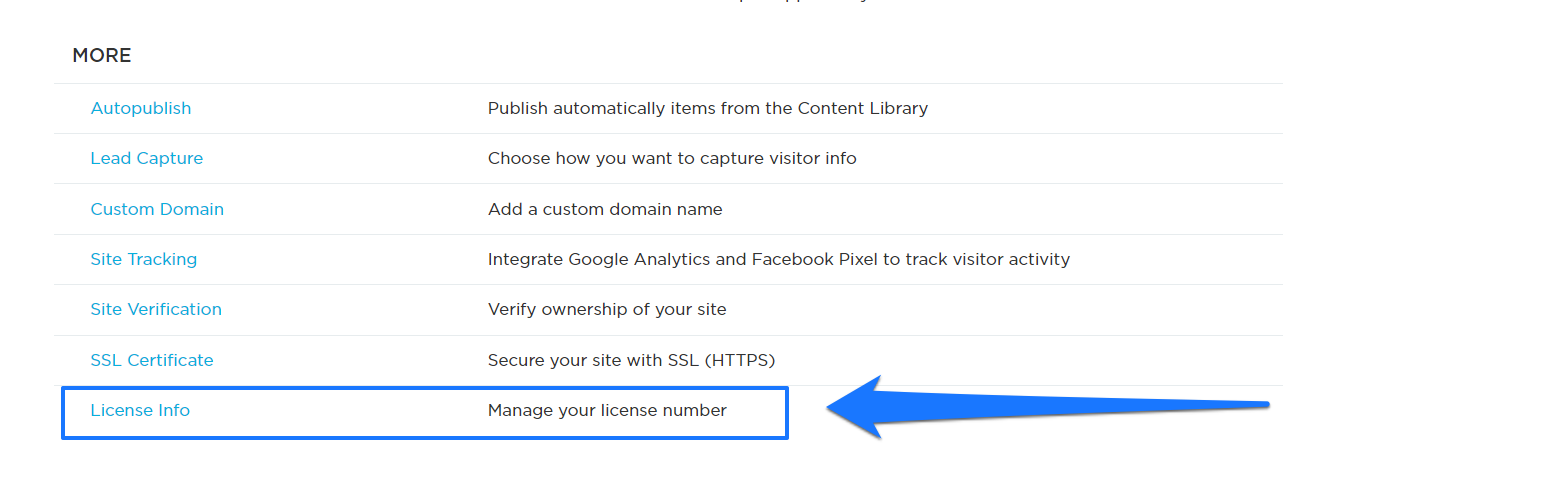
This will bring you to your site settings page. Scroll the page and under MORE, click License Info.
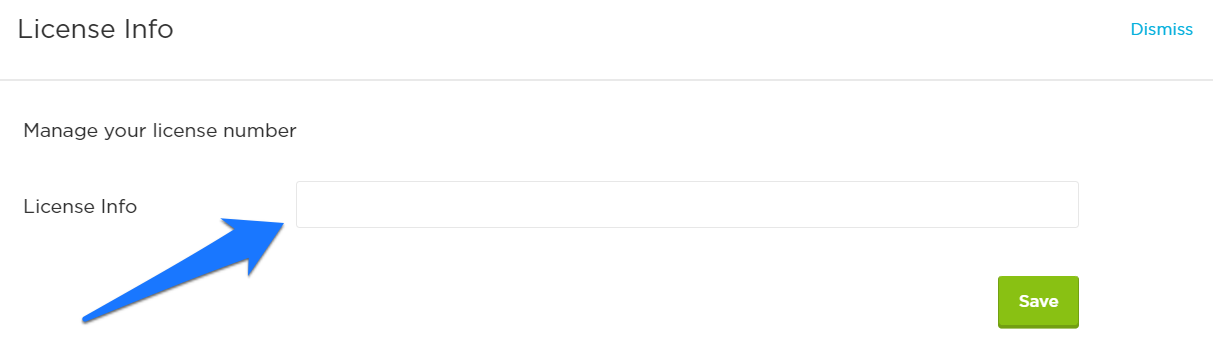
Add your License info on the license info field then click the save button once done.
Need More Help?
For questions, concerns, or feedback, please chat with our team: https://app.placester.com/chat