Adding a Meta Description & Meta Title to your Home Page [Classic]
This article below will show you how you can boost SEO by adding a meta title and description to your home page.
What is a Meta Title and Meta Description?
The meta title and description are what you would like search engines to display when your website appears in someone's Google or Bing search results, for example:

Here are a couple of great resources on writing effective meta titles and descriptions from Moz.com:
Meta Title - http://moz.com/learn/seo/title-tag
Meta Description - http://moz.com/learn/seo/meta-description
Adding Your Home Page Meta Title & Description
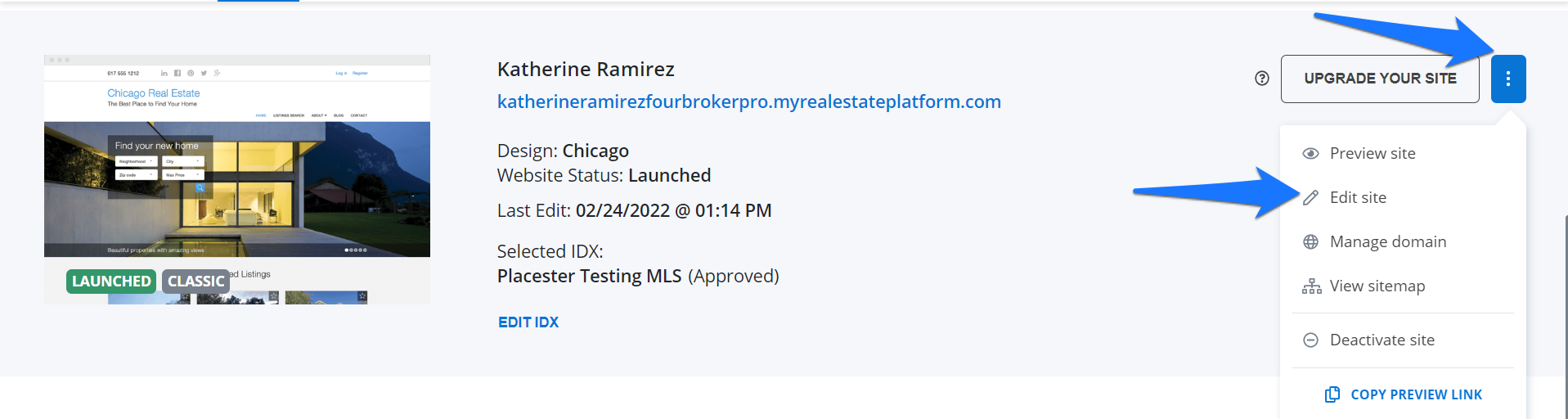
The fastest way to add a meta title and description for your homepage is to click the 3 dots button next to the Update your site button and click edit site from the dropdown.
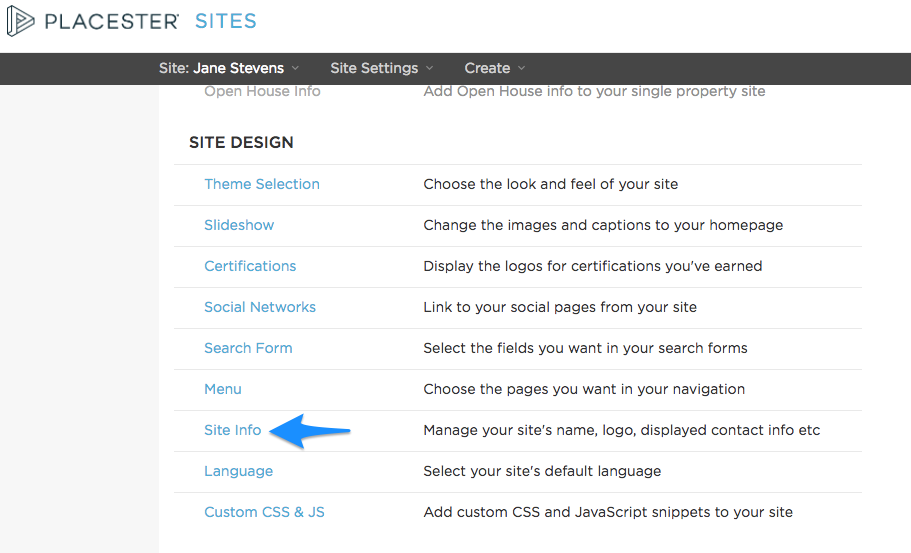
If you are already in your backend menu, then move down to the Site Design category, and click on Site Info.
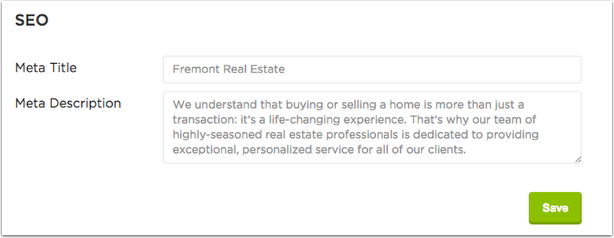
Then just scroll down to the SEO section to add your personalized text. This is a great opportunity to create a unique call-to-action for your website and include any relevant keywords:
Click here to learn how to add a meta title and description to individual pages and blog posts.
Need More Help?
For questions, concerns, or feedback, please chat with our team: https://app.placester.com/chat