Editing your Placester Subdomain [Classic]
This article will show you how to Edit your Placester Subdomain.
With your Placester site, you'll be provided a myrealestateplatform.com subdomain (example: chicagorealty.myrealestateplatform.com). If you don't plan to use a custom domain, you can change the provided subdomain to something more personalized. This article will walk you through using that subdomain editing tool.
Site Settings > Custom Domain
The first step is to log into your Placester account and click the three dots next to the update your site button then click manage domain.
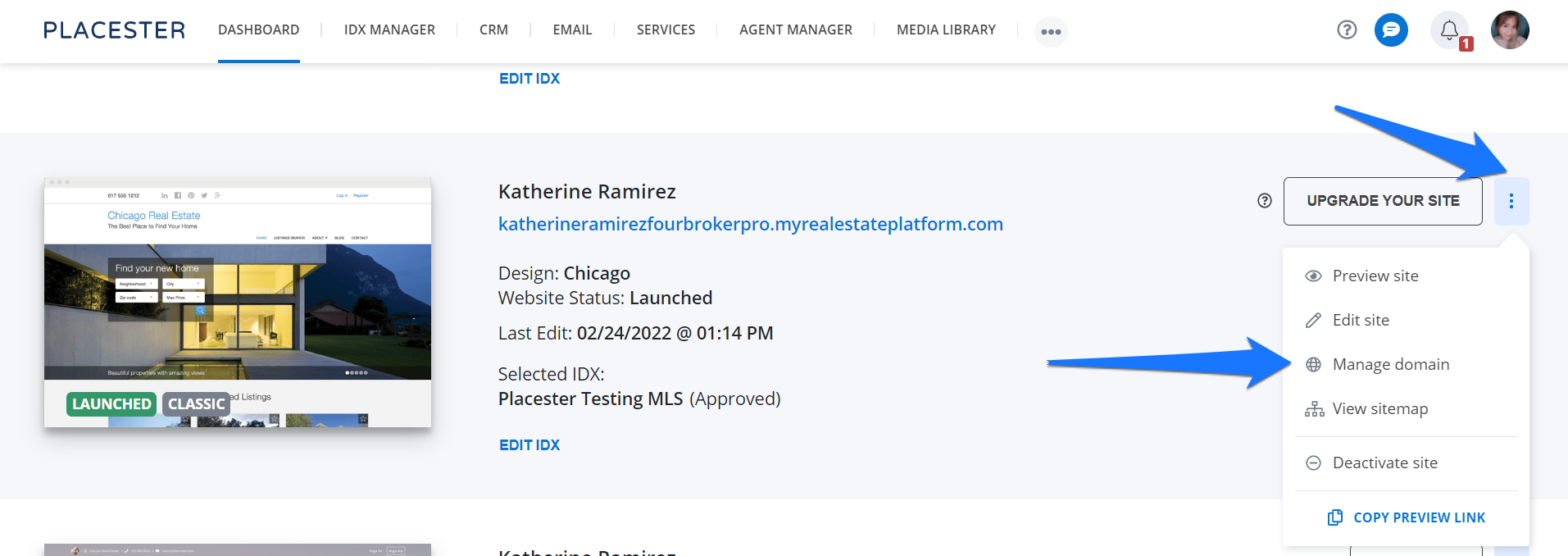
Editing your subdomain
Here, you'll see your current subdomain and the option to edit it.
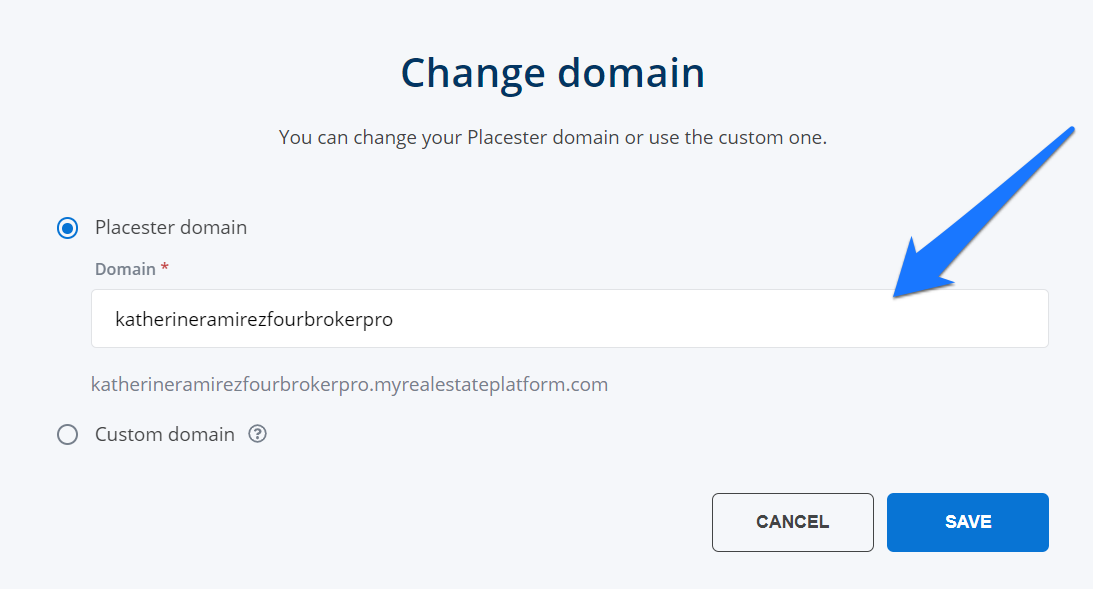
Click save to finalize your choice.
Mapping a Custom Domain
Keep in mind, you always have the option to map a custom domain that you've purchased through a domain registrar such as GoDaddy. Find out more about custom domain usage at placester.com/domains.
Need More Help?
For questions, concerns, or feedback, please chat with our team: https://app.placester.com/chat