IDX Integration Removal
The article will guide you on how you can Remove your IDX Integration from your Placester website.
The IDX manager is where you can view specific information related to your IDX feed. To access this feature, you must first log in to your Placester account and then select the IDX manager tab.
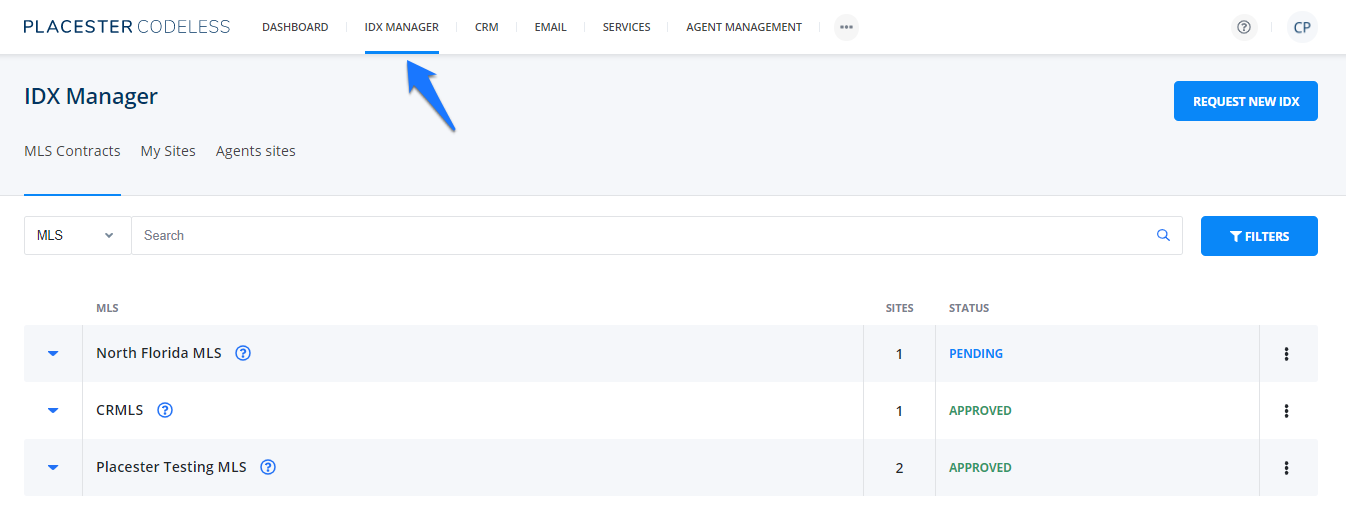
This is where you will see the list of all MLS contracts in your account. The ellipses button is where you can terminate/remove your MLS IDX integration.
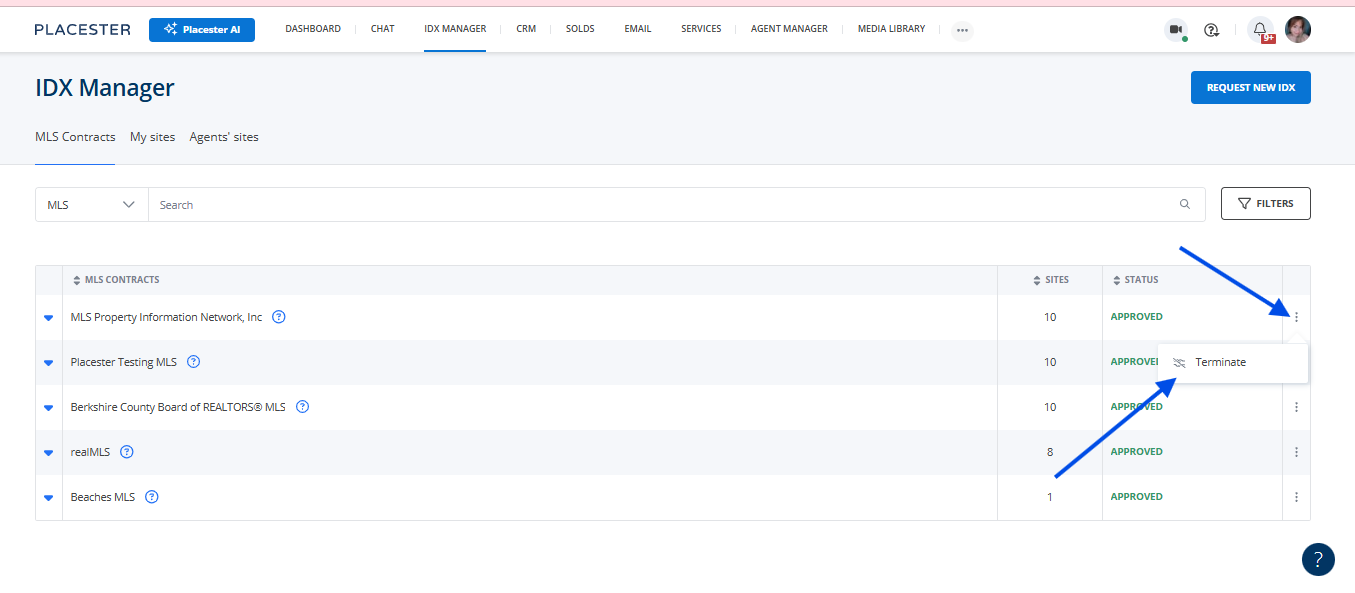
Once the contract is terminated, you won't be able to undo this action. If you want to use this feed again in the future, you will need to go through the request process once again.
Need More Help
For questions, concerns or feedback, please chat with our team: https://app.placester.com/chat