Setting Priority on Listings
These steps are for the Legacy Customizer. For Site Edit, see Choosing Which Listings Appear on Your Site.
This article will show you How to Display your Listings First on your site.
Note: This feature is available on Agent Premier and higher.
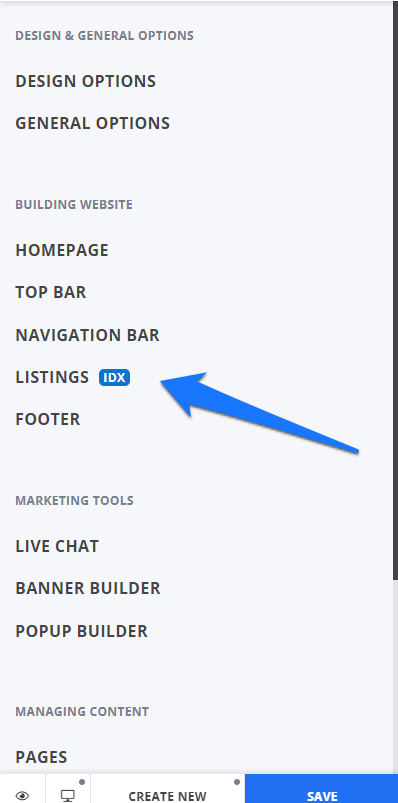
Once you are logged in to your Placester dashboard, click Edit site. This will bring you to your customizer, click Listings.
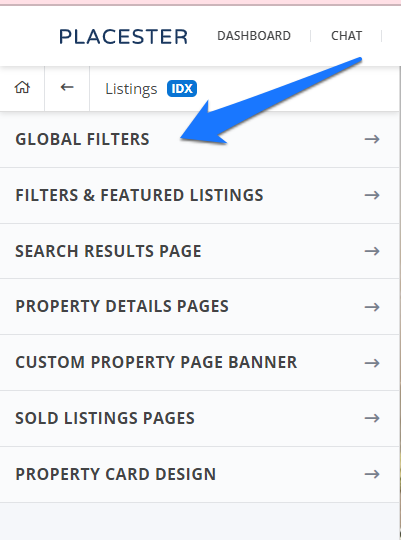
Next, click Global Filters.
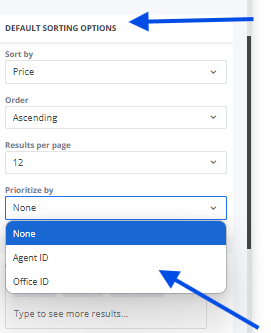
In the Global filters sorting options, click prioritized by:
You can either use agent ID or office ID.
Once you added your agent or office ID, click the save button.