Adding Certification Logos to the Footer of your Site [Classic]
This article will show you how to Highlight Special Designations or Honors by adding Certification Logos to the footer of your site.
Choosing Certification Logos for your Site
All website designs allow you to choose up to six certification logos to include on your site. These logos appear just above the footer of your homepage and help visitors understand your areas of expertise.
Dashboard
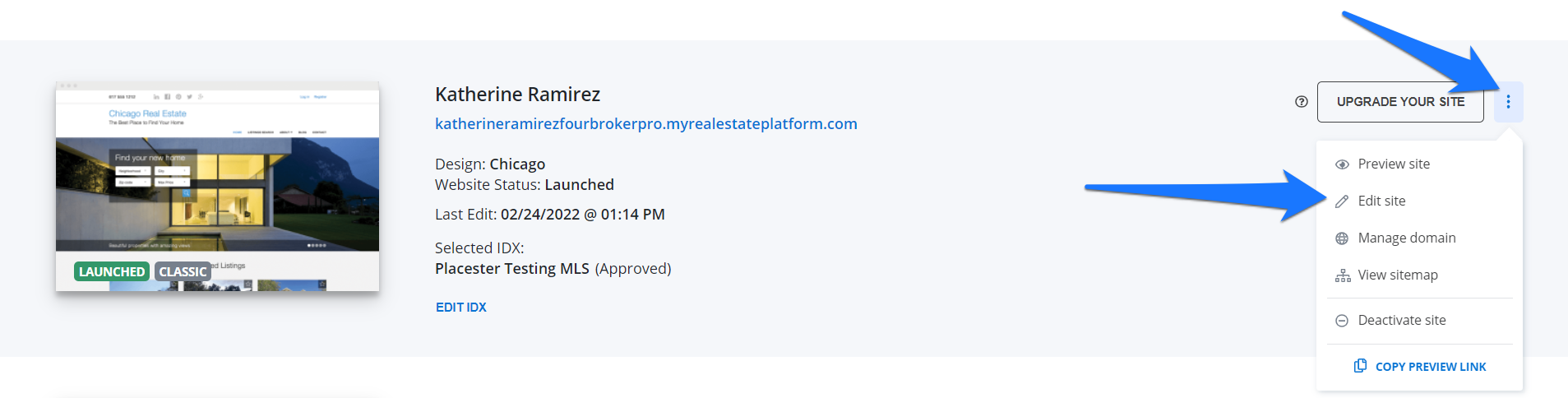
Once you're logged in on your Placester dashboard, click the 3 dots next to the update your site button and click edit site from the dropdown.
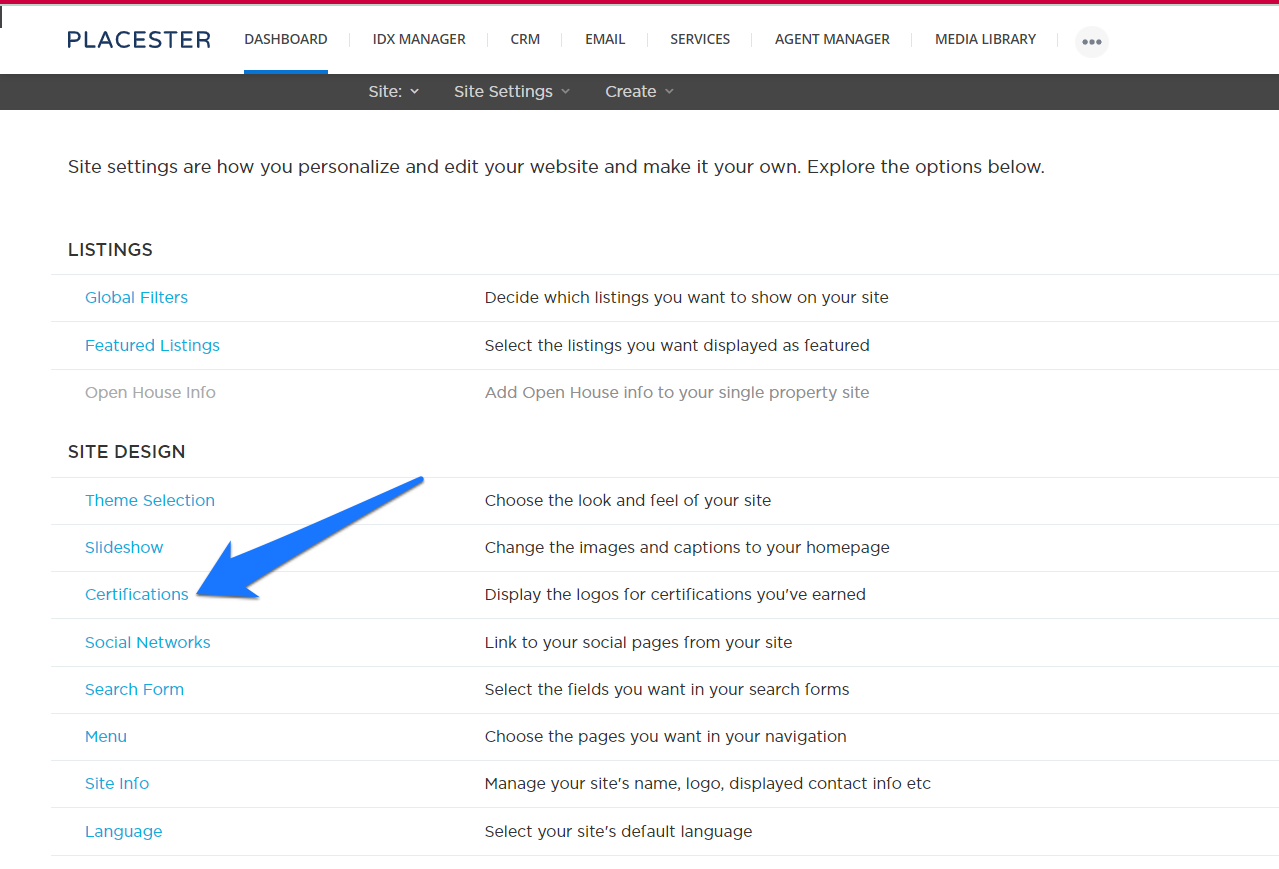
This will bring you to your site setting page. You can find the certification option under site design.
Selecting Certification Logos
Placester offers more than 20 different certification logos, which you can view by scrolling down the open Certifications tab. To feature a logo on your homepage, click on it with your mouse. You'll know it's selected when a blue outline surrounds the logo.
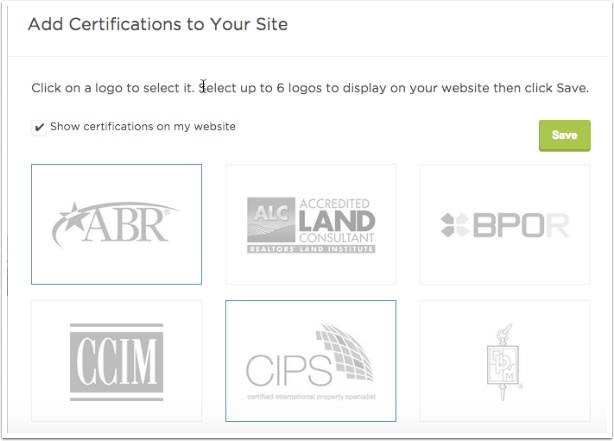
You can select up to six logos to include on your homepage. Click the box next to "Show certifications on my website" for the logos to appear on your homepage and hit the green save button.

Need More Help?
For questions, concerns, or feedback, please chat with our team: https://app.placester.com/chat