Updating Account Email
This article will show you how to Update your Placester Account Email.
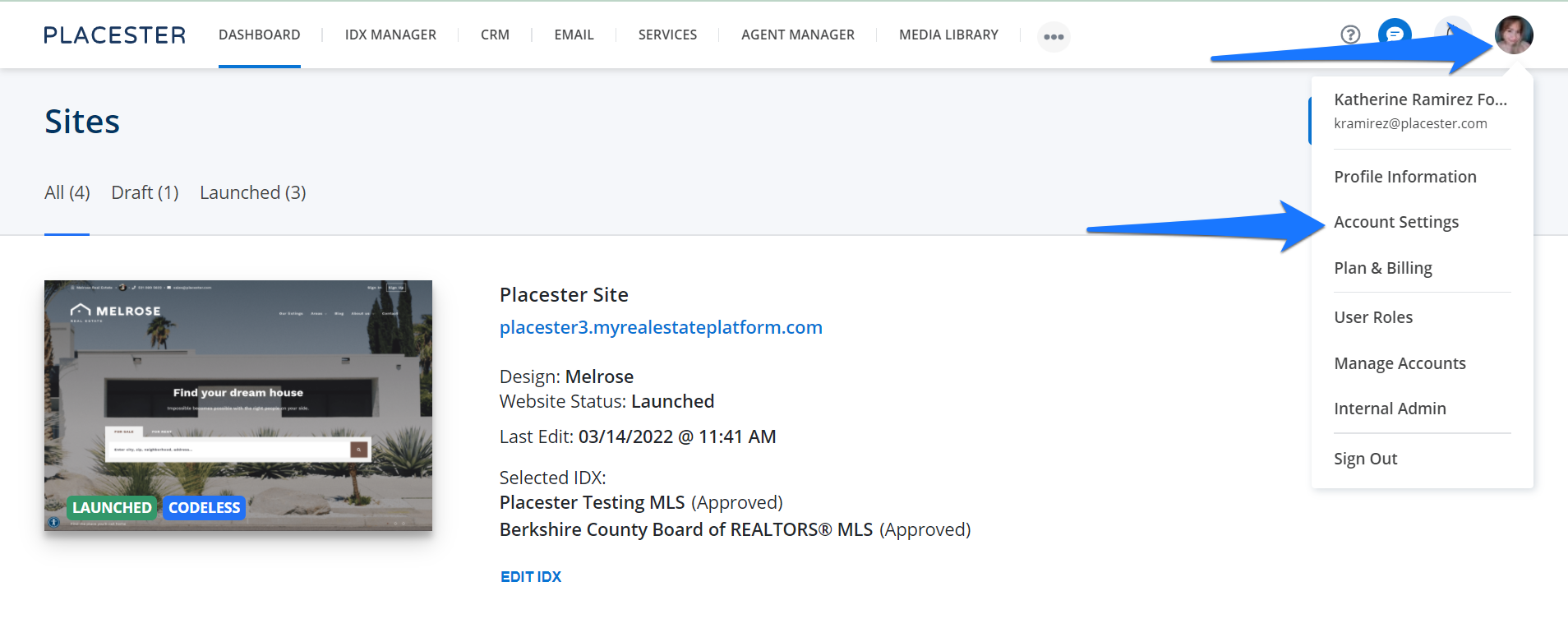
Upon logging in to your Placester site you will be routed first to your dashboard. Here is where you can update your account email Profile Icon> Account settings.
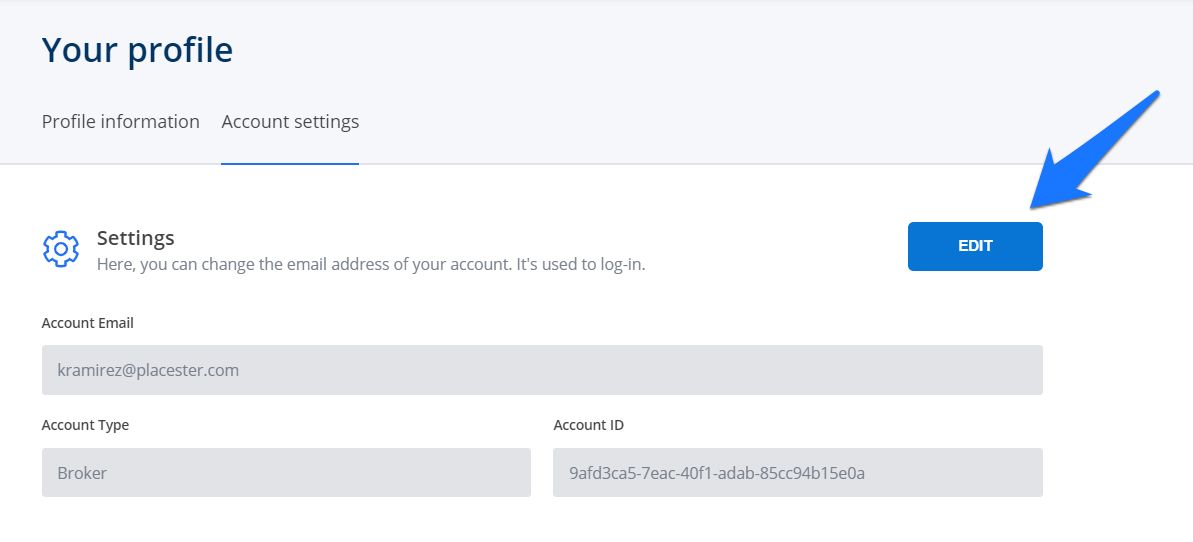
It will bring you to your Account Settings. To edit the account email, just click the edit button.
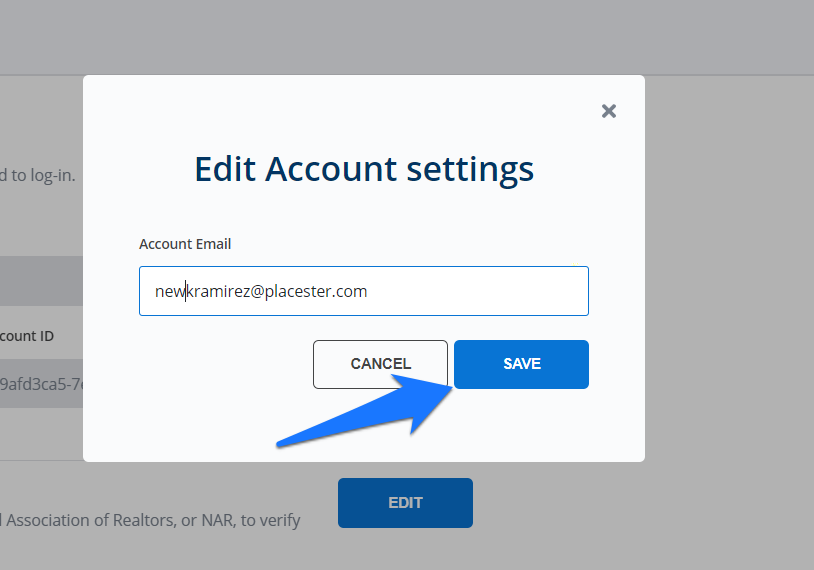
Once you added your new account email, click the save button.
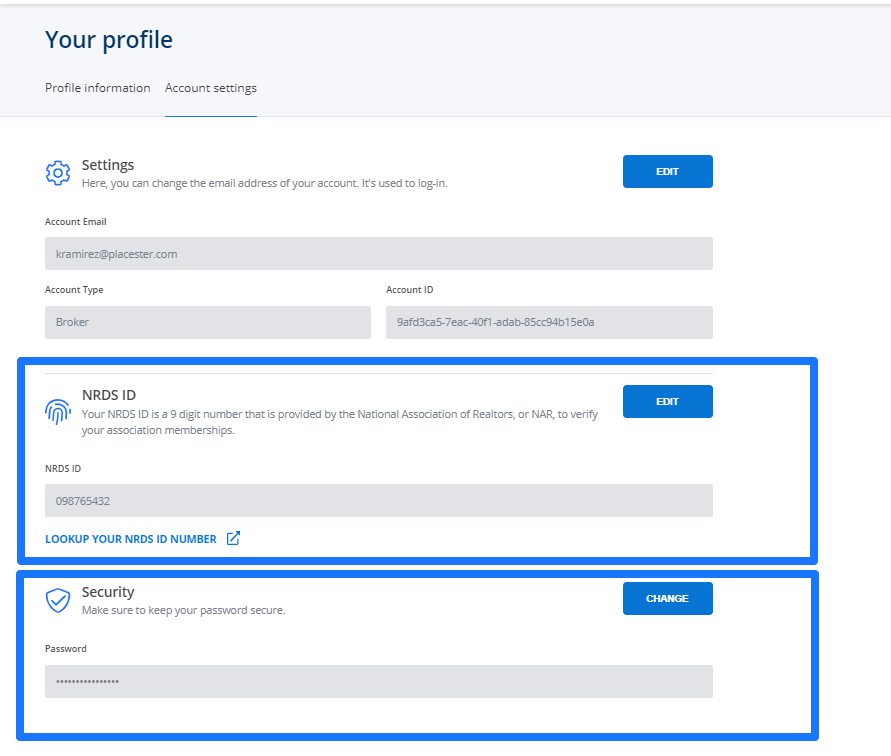
NRDS ID & PASSWORD
On the same page, you can also update your NRDS ID and Password.
Need more help?
For questions, concerns, or feedback, please chat with our team: https://app.placester.com/chat