Account Reactivation
This article will show you how to Reactivate your Account.
Account reactivation through your website's dashboard
If you canceled your account, your website will not automatically be deleted by the system. You will be given few months to access your dashboard. So if your account was not yet deleted by the system, you will be able to reactivate it through your website’s dashboard.
The first step is to log into your Placester account and you will directly see the REACTIVATE / BUY PLAN / UPGRADE button from your dashboard.
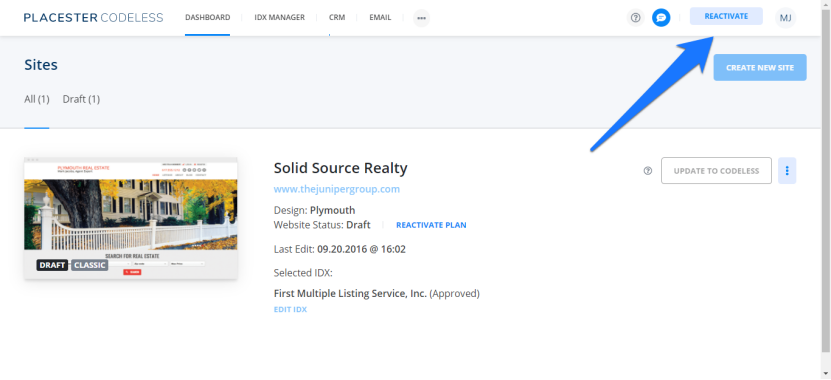
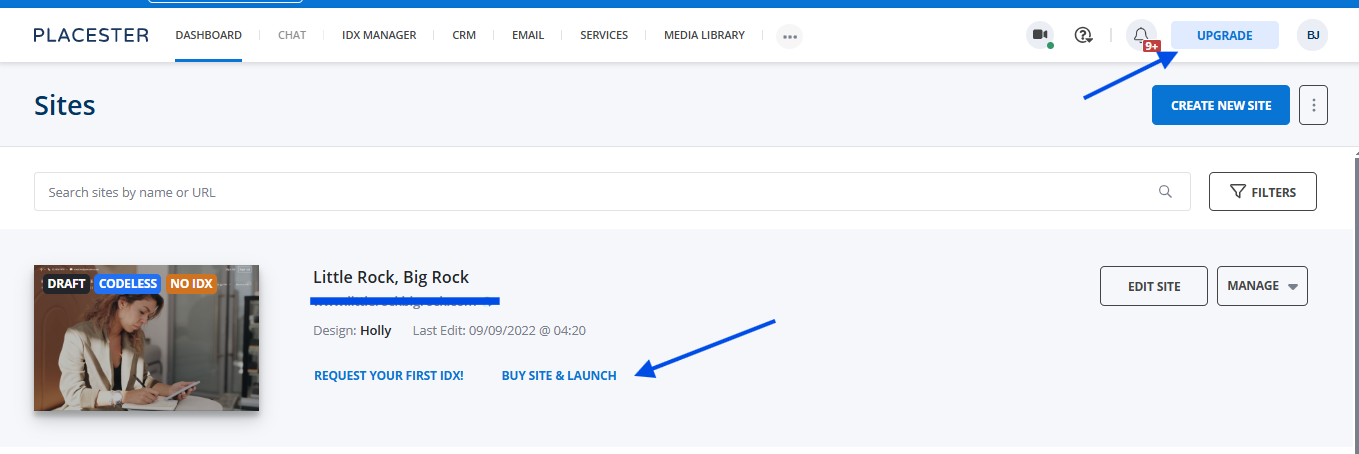
Once you click the REACTIVATE / BUY PLAN / UPGRADE button, it will bring you to the page where you can choose a plan and compare plans.
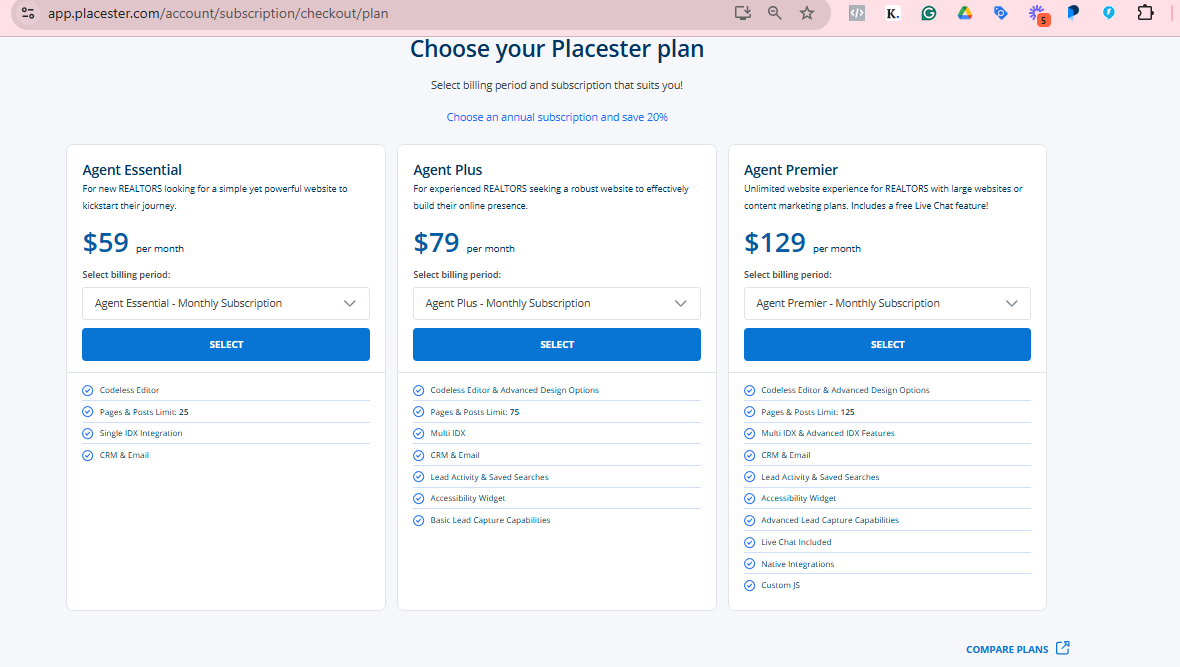
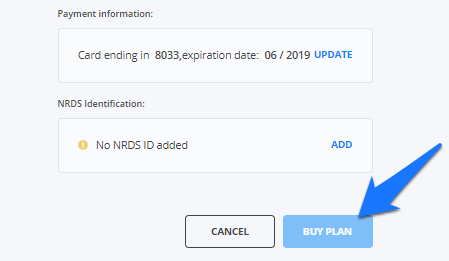
After choosing a plan, you will have to update your payment information if necessary and add your NRDS ID before clicking the Buy Plan button.
Need more help?
For questions, concerns, or feedback, please chat with our team: https://app.placester.com/chat