Managing Your Sites from the Dashboard
The Dashboard lists every website on your account. From each site card you can open the site, edit it in Site Edit, check its IDX feed, and reach the other site actions.
Open the Sites dashboard
- Sign in to Placester.
- Select Dashboard in the top menu. The Sites page opens.
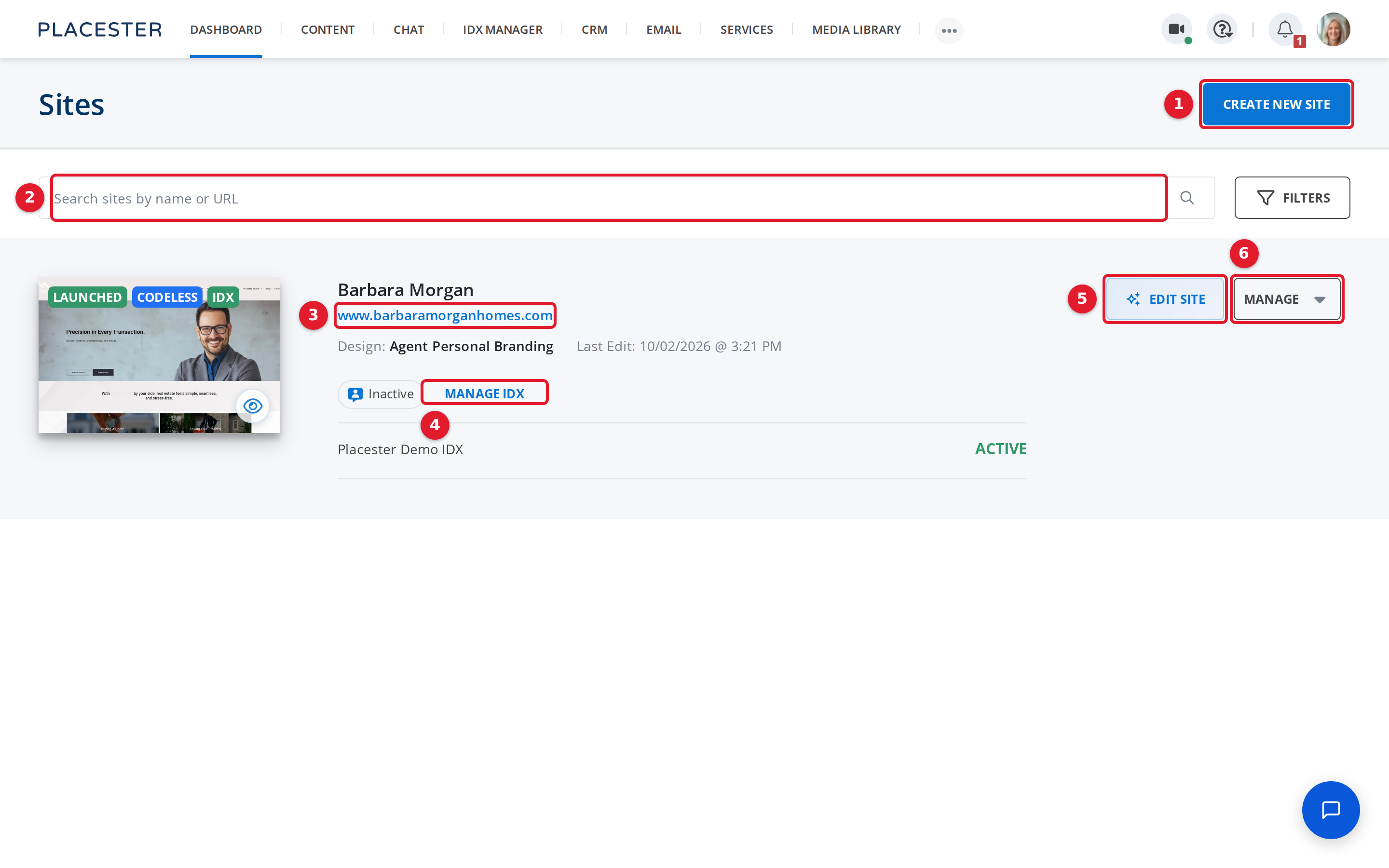
- Create New Site: Starts a new website.
- Search sites by name or URL: Finds a site by its name or web address.
- www.barbaramorganhomes.com: Opens your live website in a new tab.
- Manage IDX: Shows and changes the IDX feeds connected to this site.
- EDIT SITE: Opens the site in Site Edit.
- MANAGE: Opens more actions for this site.
Each site card also shows the site's status (for example Launched), its design, and the date of the last edit.
Use the Manage menu
Select MANAGE on the site card to see more actions.
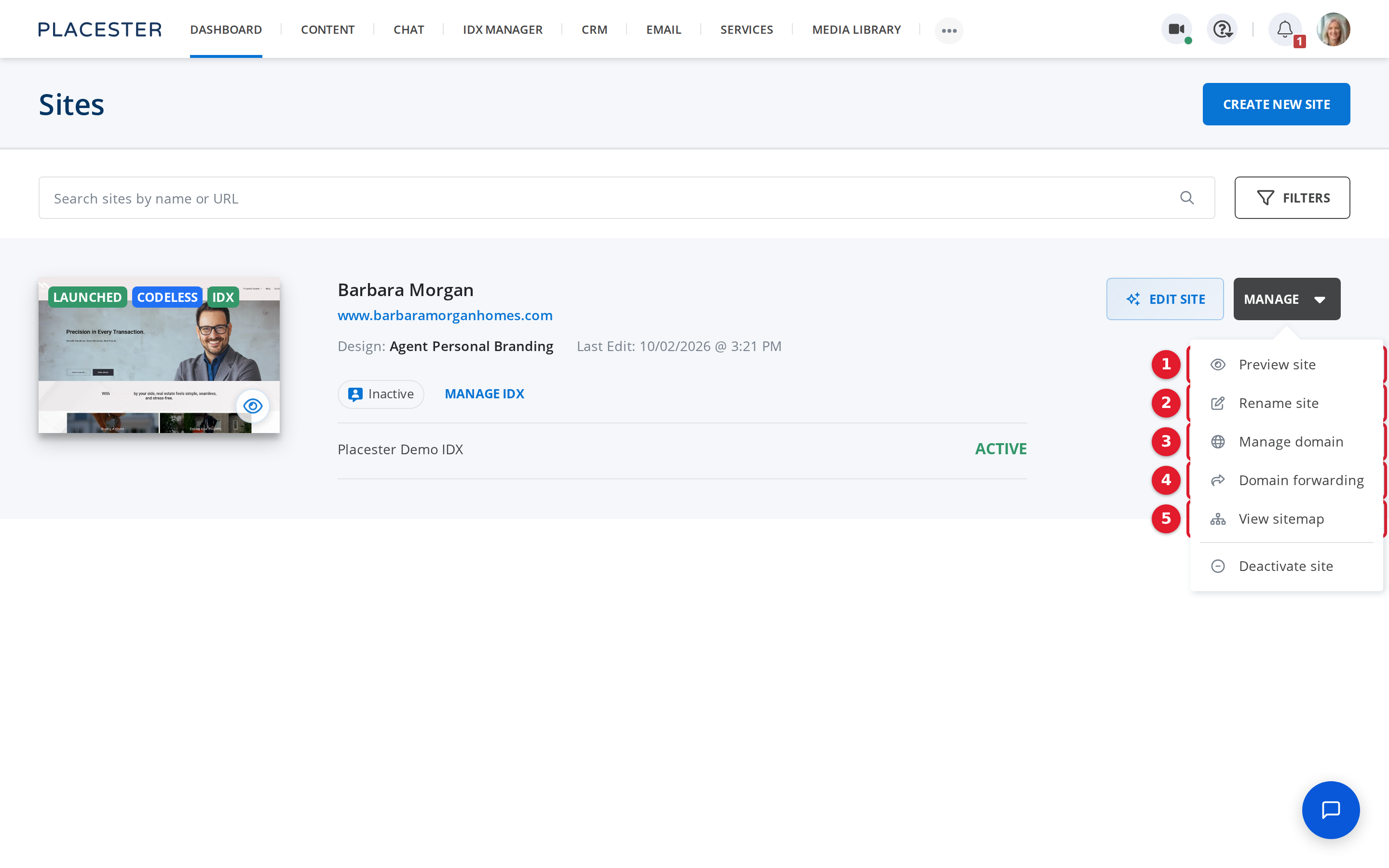
- Preview site: Shows the site as visitors see it.
- Rename site: Changes the site name shown on your Dashboard.
- Manage domain: Connects your own domain or changes the site address.
- Domain forwarding: Sends other domains you own to this site.
- View sitemap: Lists every page of the site.
The menu also has Deactivate site, which takes the site offline.
Need more help?
If you have questions about your sites, contact Placester Support.