Search: Autosuggest Results
This article will show you How to change the order of the Autosuggest Results on your Placester website.
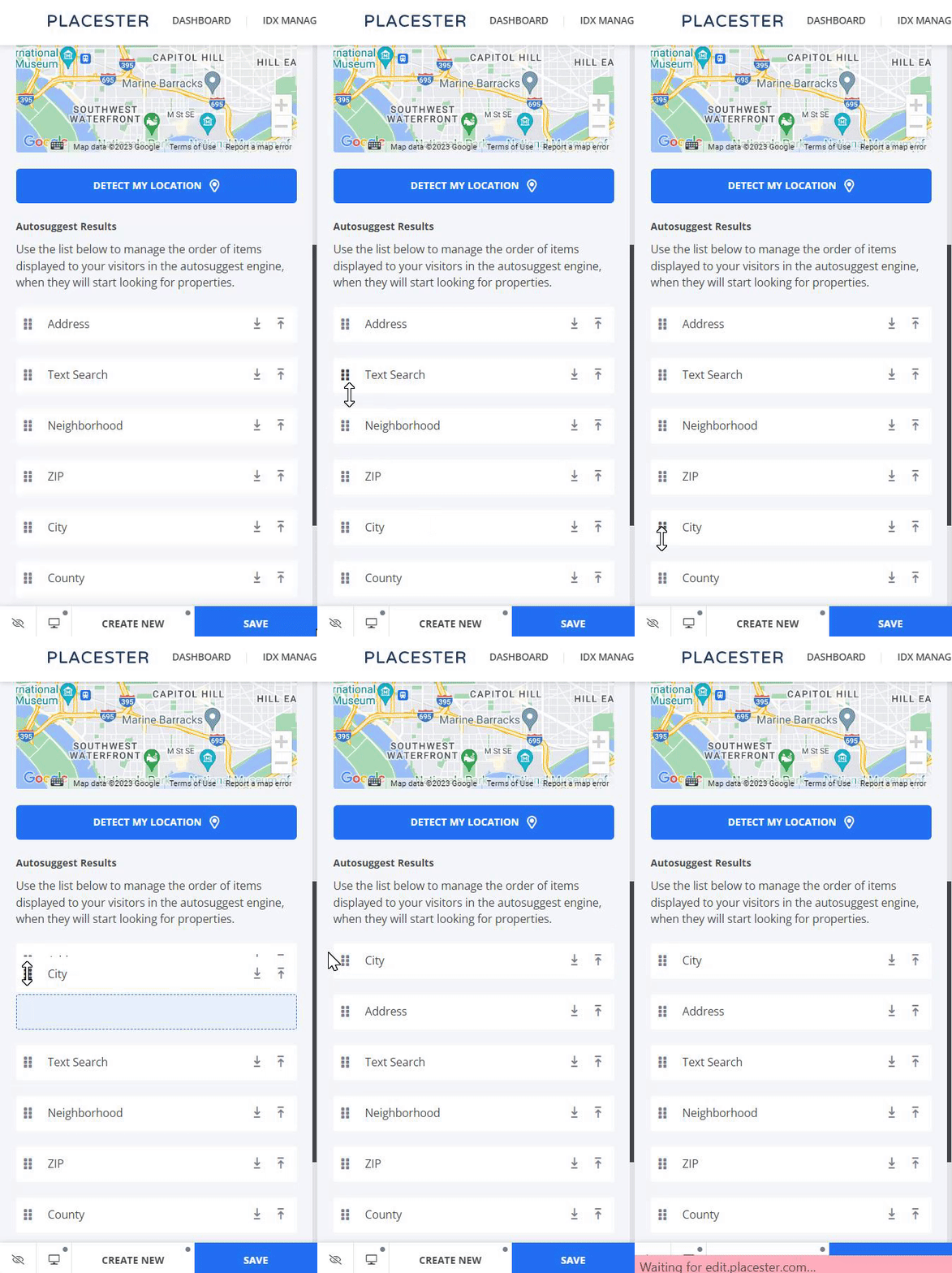
You can now manage the order of your autosuggest results! This feature will make it possible for you to change the order of search results, for example, by showing City as the first bucket, instead of Text Search.
Accessing Autosuggest Results Settings
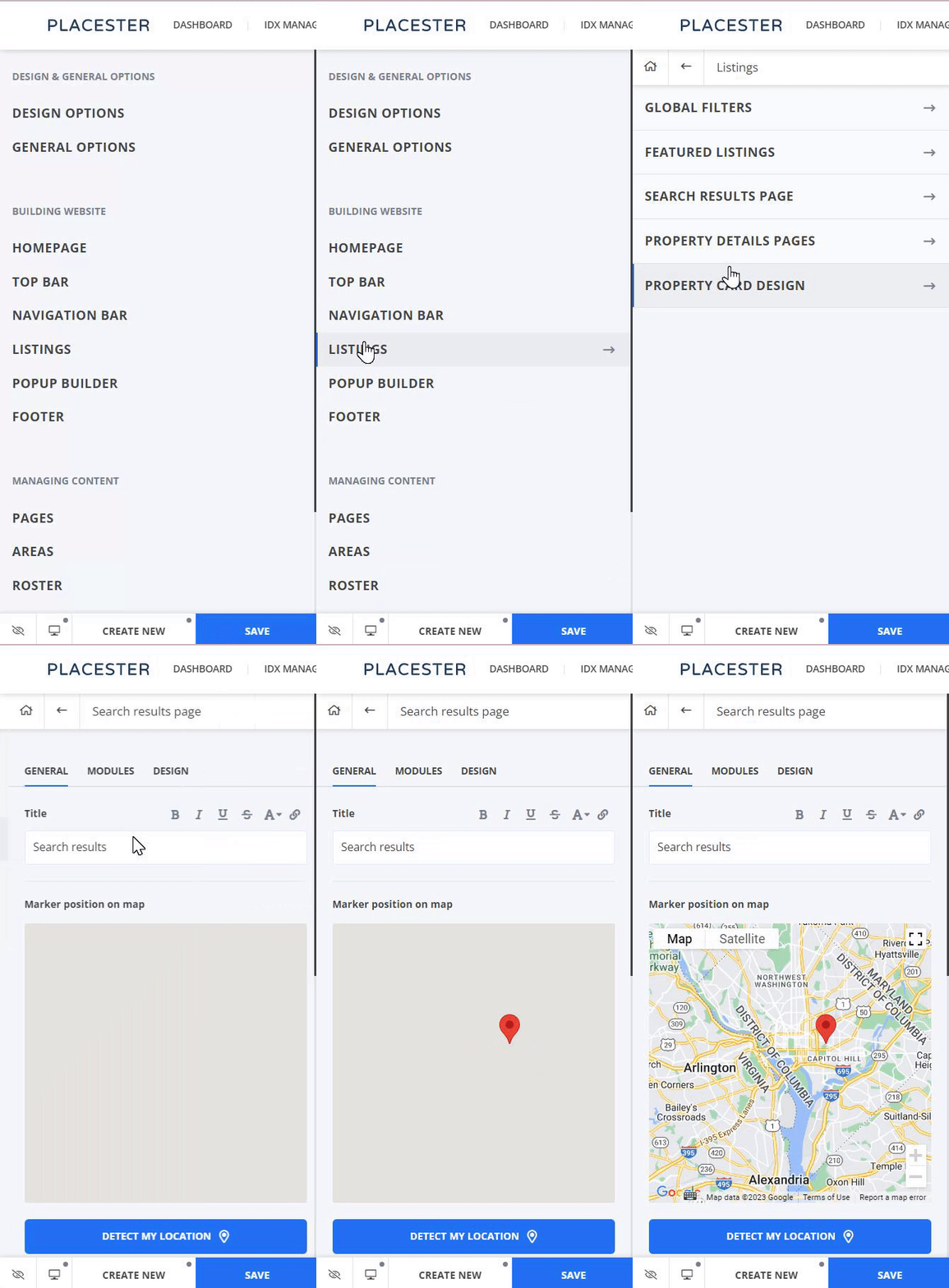
Once you're logged in to the backend of your Placester site, you can access your Autosuggest Results Settings by going to Edit Site and then click Listings. On the customizer slideout, go to Search Result Page. You will find it under the map.
To change the order of your Autosuggest results, drag and drop each item in the spot you want it in.
Need More Help?
For questions, concerns, or feedback, please chat with our team: https://app.placester.com/chat