SEO Capabilities
SEO preferences options
Advanced SEO options that are visible on the homepage, pages, and all the posts.
By default, they are turned off, but they can be easily turned on at any time. Once meta title and meta description are filled, they are more important than the normal title and description that are visible during the page/posts creation and visible in the Google Search Engine.
Keywords can be used as well. They are not as powerful as meta title or description, but they can be used to strengthen this.
What is a Meta Title and Meta Description?
The meta title and description are what you would like search engines to display when your website appears in someone's Google or Bing search results, for example:

You can also visit this article to show you Customizer: Adding a Meta Description & Meta Title to your Home Page Codeless to your home page.
Enabling Homepage SEO
On your website customizer, click Homepage, scroll down and toggle on the SEO Settings
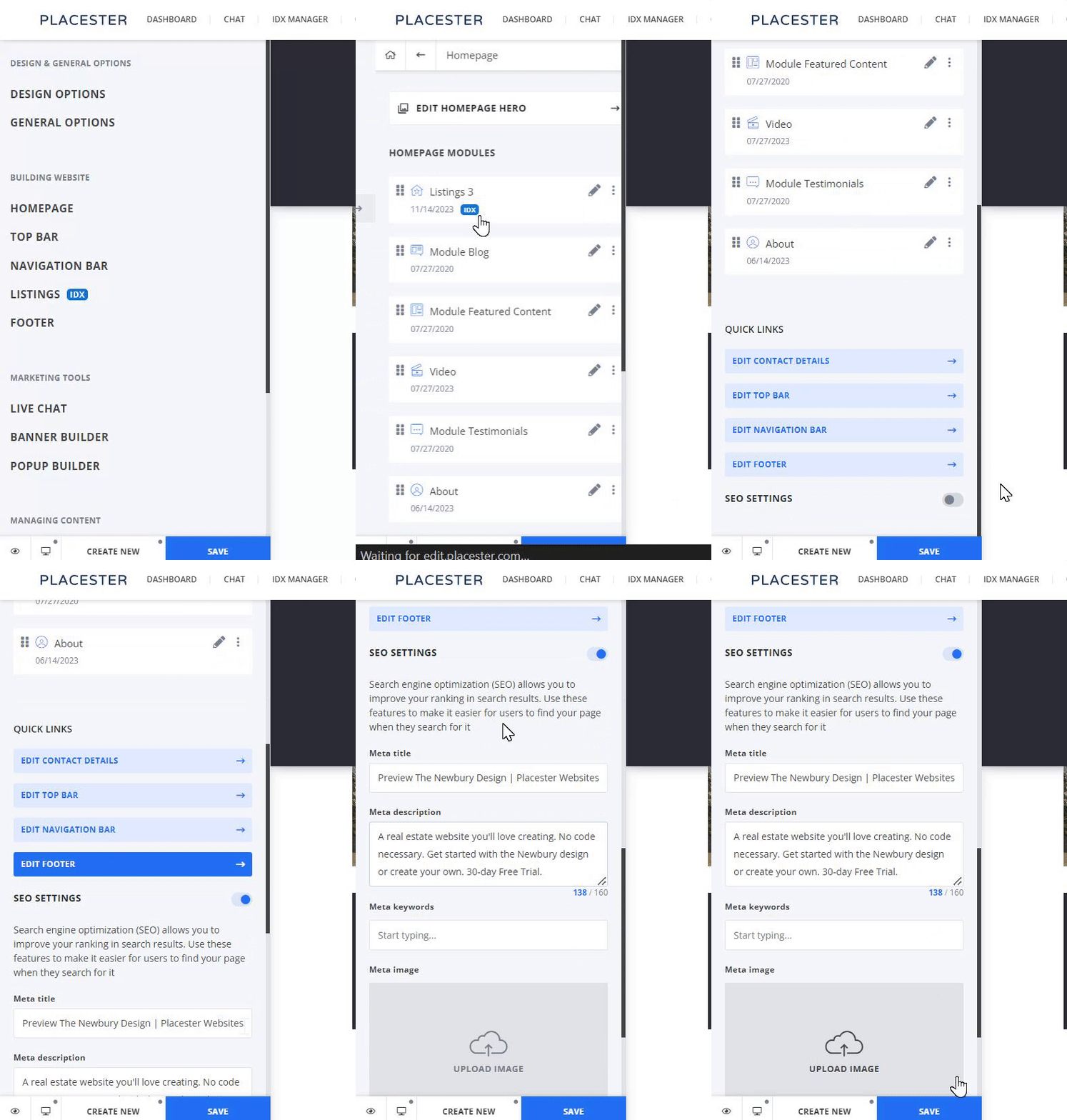
Enabling Pages/Post SEO
On your pages/blog post editing page, under the general tab scroll down and toggle on the SEO Settings
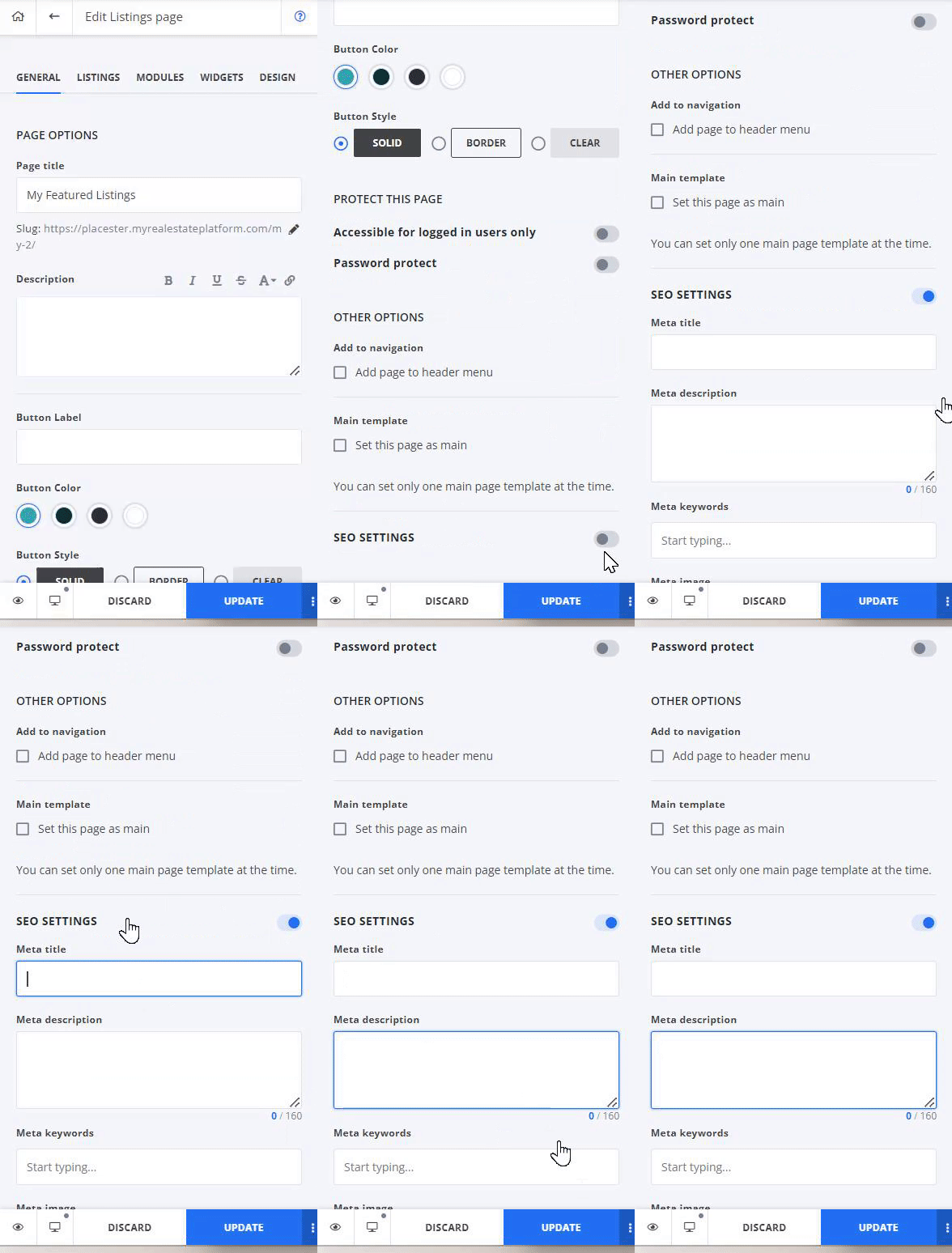
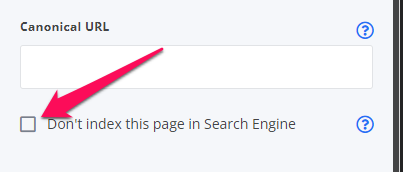
On the SEO settings, you can also enable No indexing/ no follow-up. Enabling it will exclude the page from the index, rendering it ineligible to appear in search results like these from Google or Yahoo.
Slug optimization
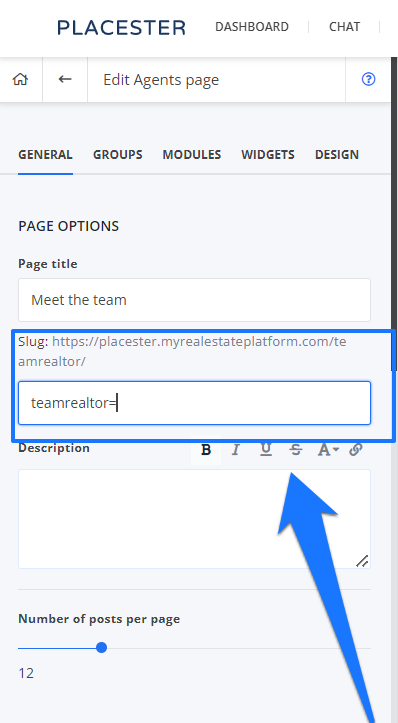
You can customize your pages/ blog post slug. You can find this option on the editing page located under your page/post title.
URL addresses optimization
- Example: /offices/boston-office/ → /offices/real-estate-boston-office/
- Example: /our-team/ava-smith/ → /our-team/real-estate-chicago-ava-smith/
Internal Linking
Internal linking is one of the best SEO techniques for individuals with a low budget. It’s good practice to link your pages to the others because when Google is indexing such a page, it’s tracking all the internal links as well.
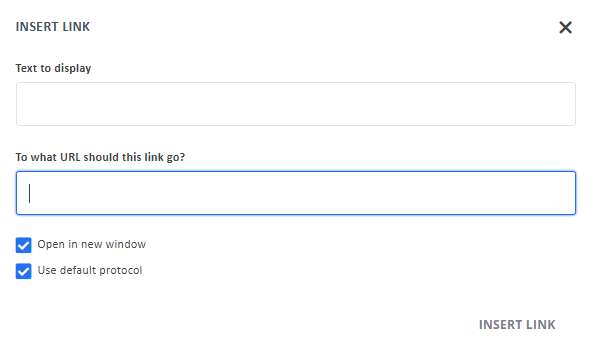
This article will show you How To Hyperlink Text And Images
Review snippet
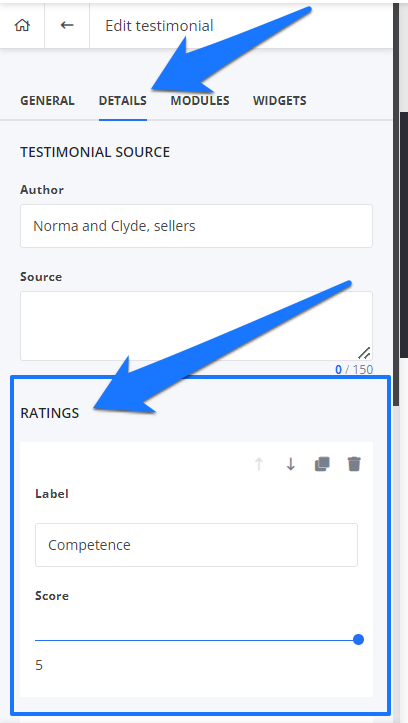
If you're using the rating feature on their testimonials, the Review snippet should be working. You can enable the rating feature by clicking the details tab on your testimonial's editing page.
301 Redirects
A 301 redirect is an HTTP signal code that permanently redirects one URL to another.
Reasons to use 301 redirects:
- When a website moves to a new URL or deletes a page, and you type in the old URL, you’ll be immediately redirected to the new URL that contains the content you’re looking for.
- A 301 redirect also passes on the same ranking power that the old URL had. In terms of SEO, a 301 redirect communicates with the search engine to let it know about your changes. Therefore, a 301 redirect will not hurt your rankings or SEO performance.
- It also helps you avoid 404 error pages. Normally, when a page is deleted, typing its URL will lead to a 404 page. Instead, a 301 redirect takes the user to the new location.
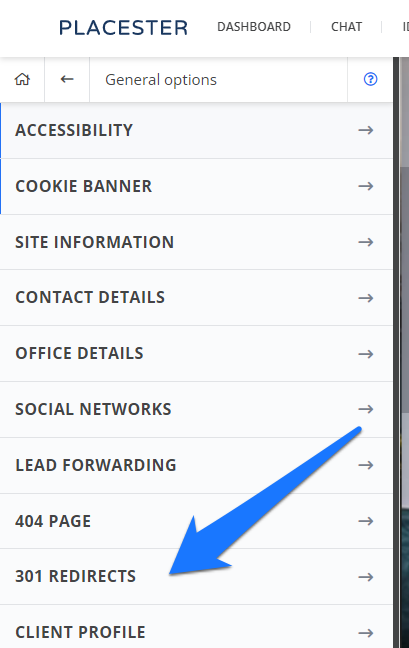
To find 301 redirects, from your customizer, click General options>301 redirects:
Need More Help?
For questions, concerns, or feedback, please chat with our team: https://app.placester.com/chat