Adding Featured Content Tiles [Classic]
This article will explain how to add featured content tiles to your site. Featured content tiles allow you to feature any page on your site or an outside link on your homepage. Featured Content Tiles are only available to Pro users on the Highland, Wilshire, Beacon, and Newbury themes.
If you do not have this feature and are interested please reach out to our sales department at 1-800-728-8391x2 
When added, tiles will appear between the slideshow and the featured listings. You can add up to four tiles to the home page.
Selecting a premium theme
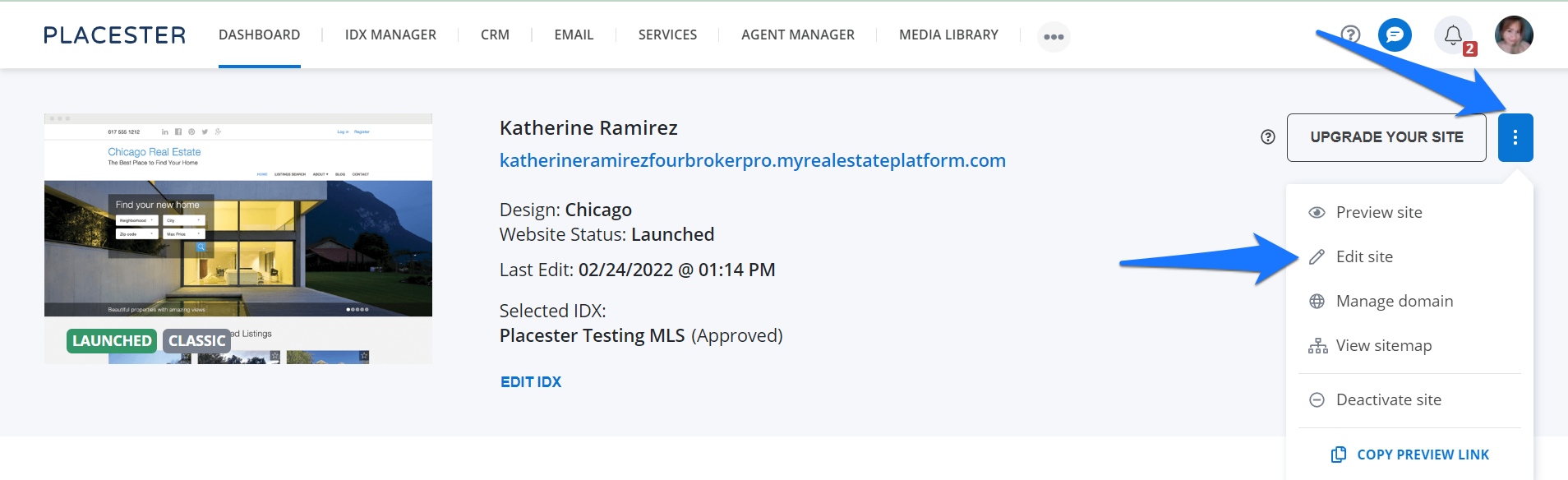
To start you will need to make sure you select one of our newer themes: Highland, Wilshire, Beacon, or Newbury. From your Placester Dashboard, click the 3 dots next to Upgrade your Site button then click on Edit Site from the slide down.
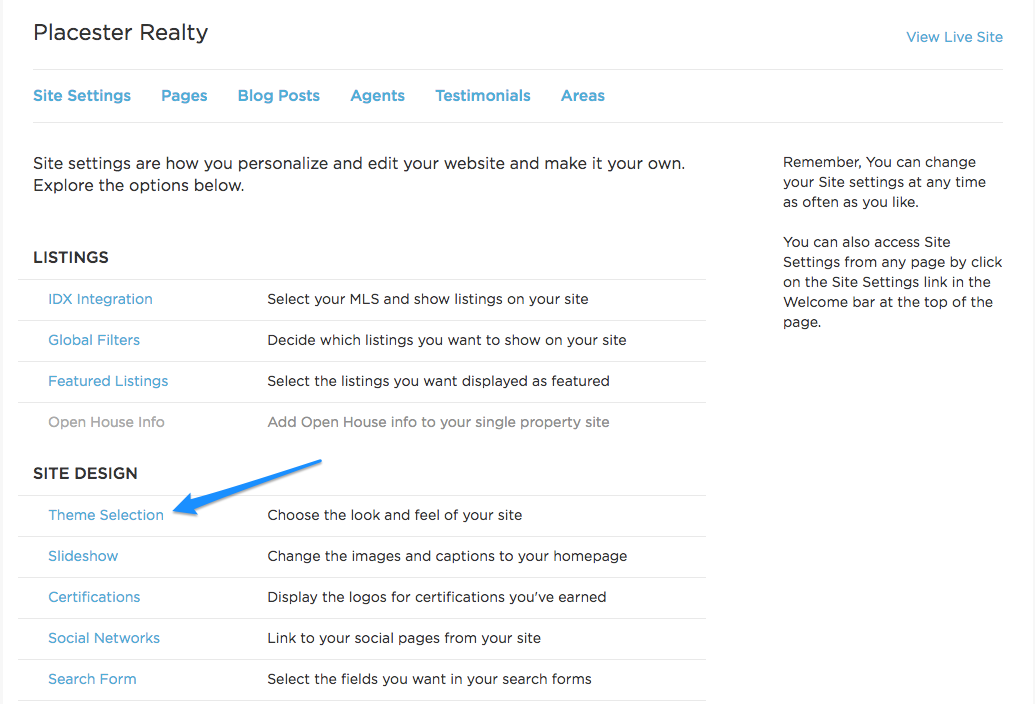
This will bring you to the site setting panel and then you can click Theme Selection under Site Design.
To learn more about selecting themes please read our article about setting up themes on your site.
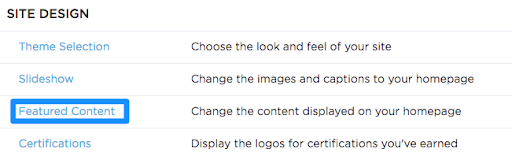
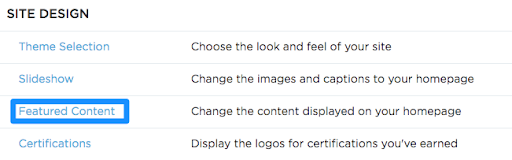
Once you have selected the premium theme you would like to use, return to the Site Settings menu and click on Featured Content to start adding tiles.
Adding a featured content tile
You will be provided with one tile content box that is ready to edit. If you need to add an additional tile click on the plus next to “Content” to add additional tile content box. You can add the following information to your tile content box:
- Link to site page - Link the tile to a page on your site by selecting a page from the dropdown
- URL - Connect tile to an outside site
- Headline - Add a headline to your tile
- Excerpt - Add a brief description of what is on the page/ outside site featured on the tile.
- Upload Image - add an image to the background of the tile (Ideal size would be between 200x200 and 400x400 pixels)
Once you have entered all the information on the backend click save. You can then preview the finished tile by viewing the live site.
Need More Help?
For questions, concerns, or feedback, please chat with our team: https://app.placester.com/chat