Choosing a Content Automation Destination
A destination is the one Placester website Content Automation publishes to. Articles go to that site's blog, not to social networks.
Before you begin: You need at least one publishable Placester website. Create a site first if Configuration says No publishable sites yet.
Choose the destination during setup
On the wizard's Destinations step:
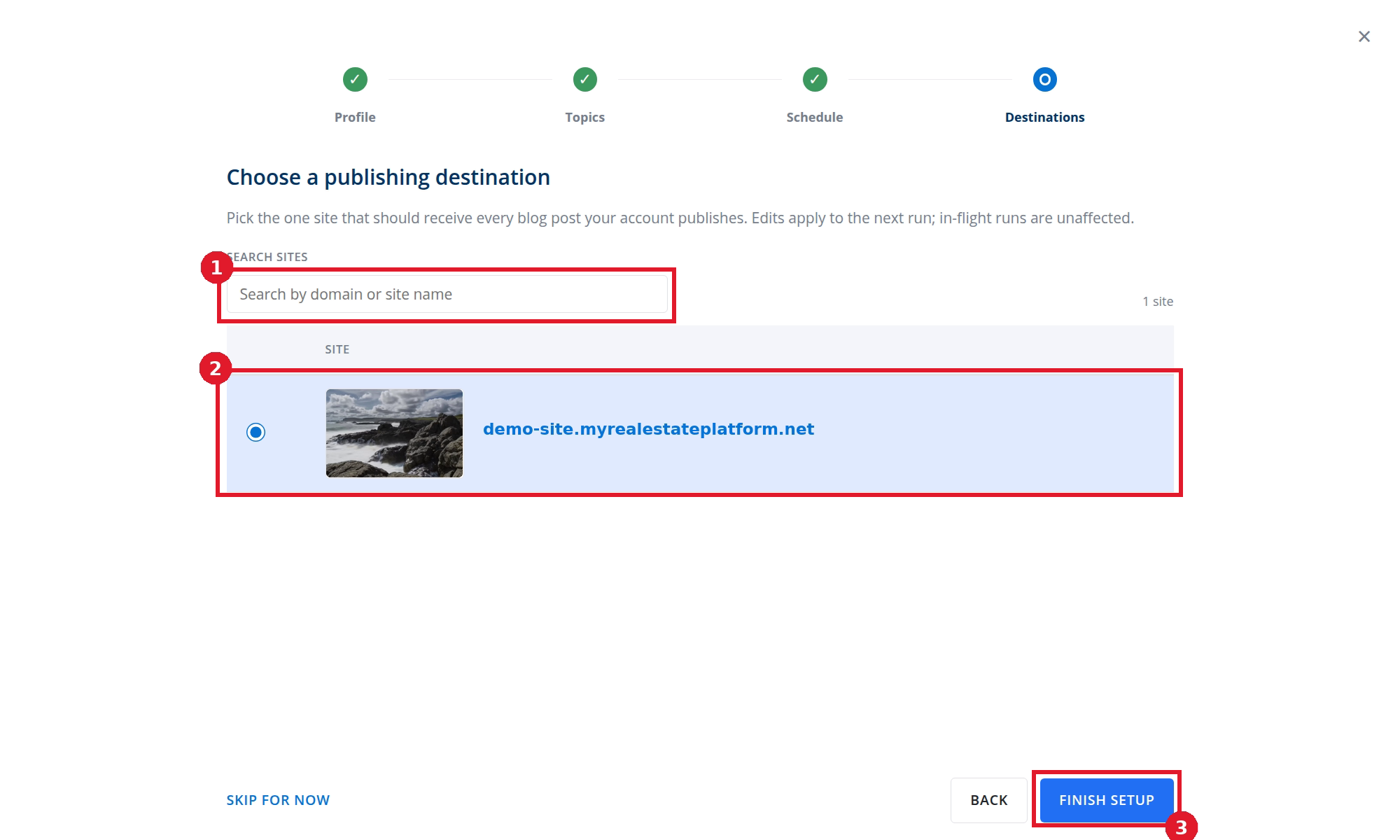
- Search by domain or site name when needed.
- Select one site. Content Automation sends every automated blog post to this destination.
- Select FINISH SETUP.
Change the destination later
- Open Content → Blog → Configuration.
- Scroll to Publishing destination.
- Search when needed, then select one site.
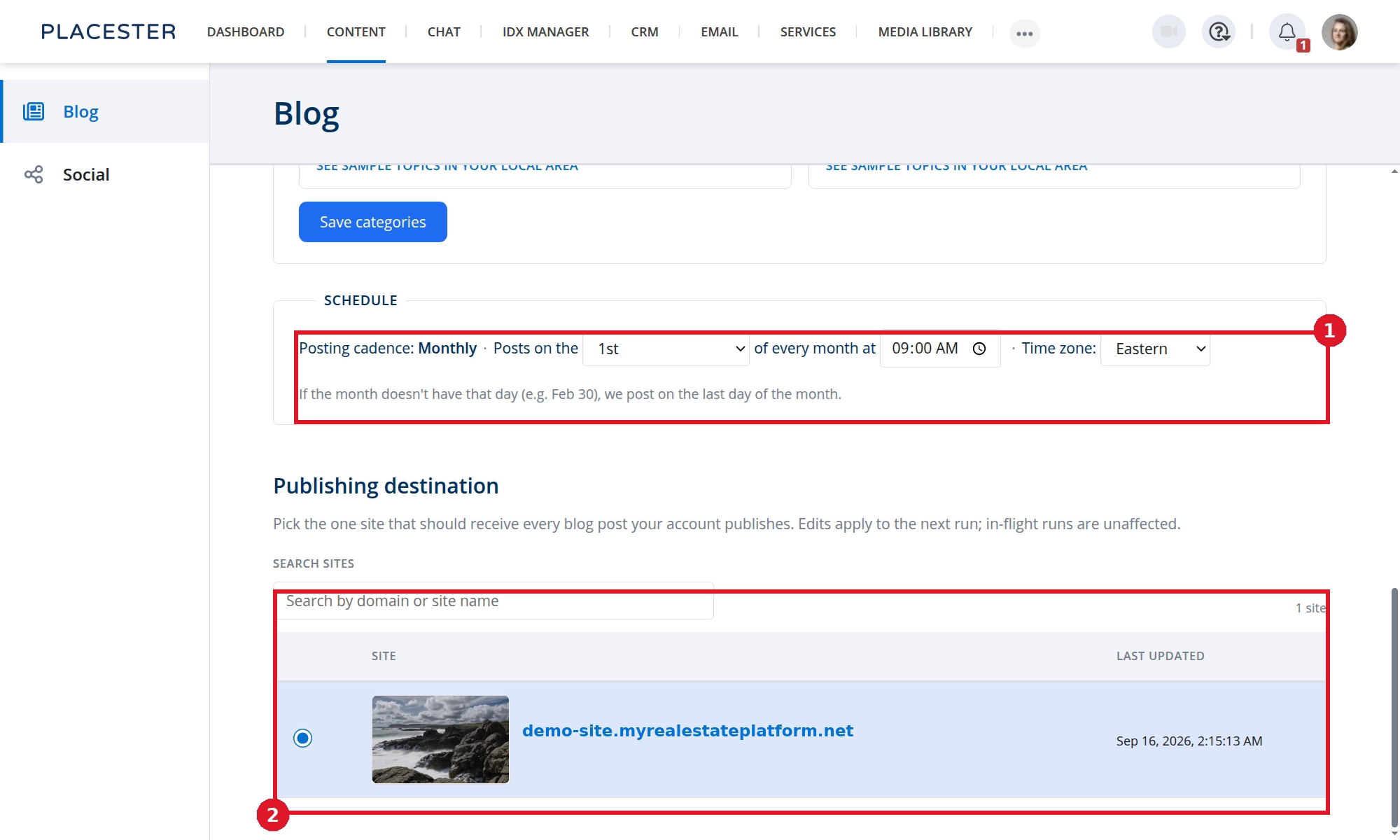
- SCHEDULE is a separate setting above the destination.
- Select the site that should receive future posts.
The change applies to the next run. A run already in progress is unaffected. The dashboard's Destinations card shows the selected site.
What this does not change
- Social Automation has its own Blog Source. That setting is for social videos, not this publisher. See Choosing a Blog Source for Social Automation.
- Changing the destination does not move posts that were already published.
Need more help?
If you have questions about Content Automation, contact Placester Support at support@placester.com.