What is Content Automation?
Content Automation is an add-on that writes real estate blog posts and publishes them to one Placester website on a schedule. You choose the topics and destination; your plan sets how often Content Automation can publish.
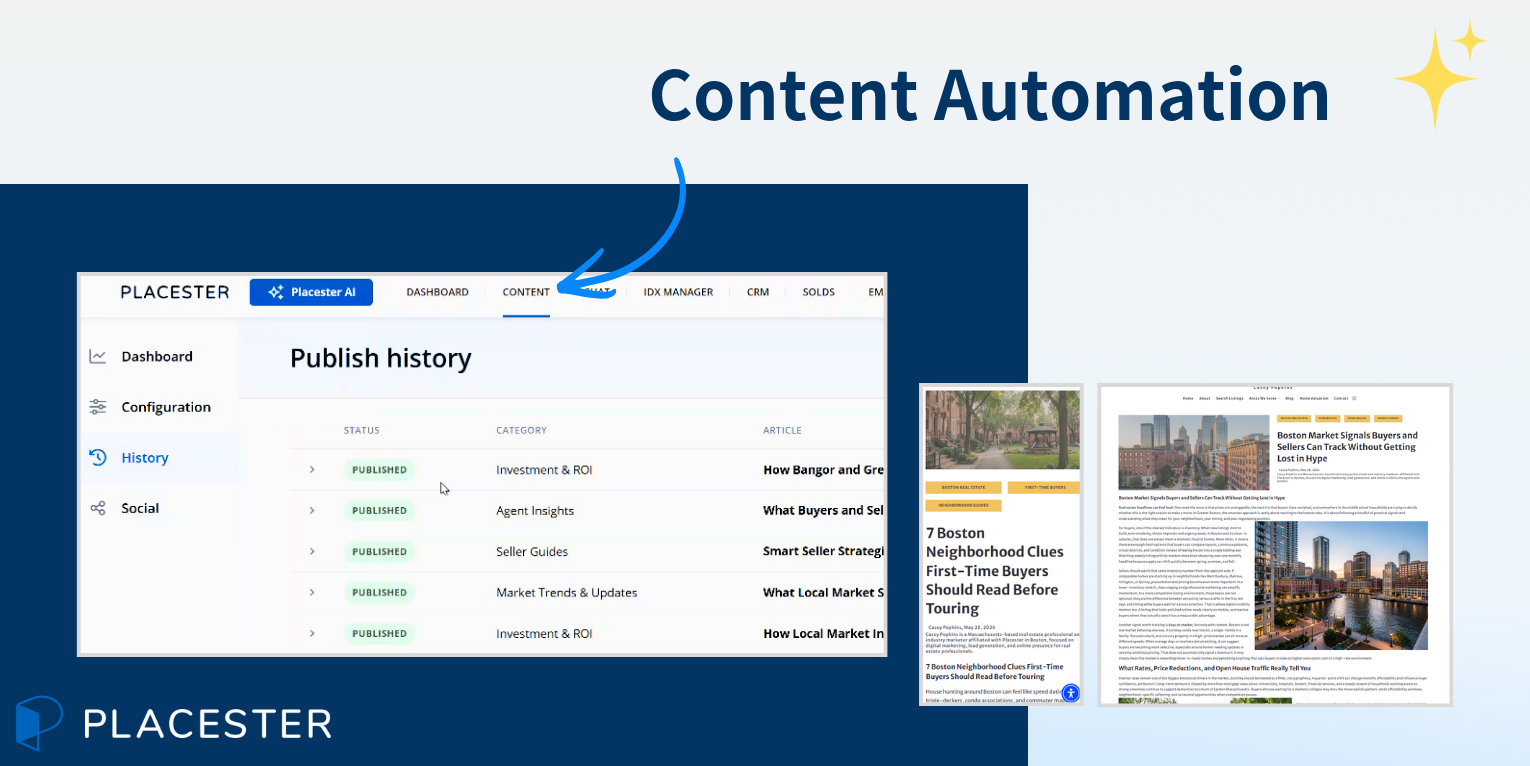
It is a separate add-on from Social Automation. You can use either, both, or neither.
What it creates
Content Automation creates blog articles from the topics you select. Topics come from Placester's current catalog. During setup, you choose at least three. Articles use your Business Profile details—such as your name, operating areas, bio, and specialties—to make the writing relevant to your business and market.
Where articles go
Posts go to the blog on the one website selected under Configuration → Publishing destination. Content Automation does not post to Facebook or Instagram. Social publishing is a separate add-on; see What Is Social Automation?.
How often it publishes
Your Content Automation plan sets the publishing cadence: monthly, weekly, or daily. During setup, you choose the available date or day, time, and time zone for that cadence.
After setup, Configuration offers three publishing modes:
- Off: No posts are generated or published. Categories and schedule stay saved.
- Publish immediately: A post is written and published at each scheduled slot.
- Draft, then publish: A draft is created one day before each publish slot and scheduled in WordPress. It goes live at the scheduled time unless you cancel it.
Find Content Automation
Open Content, then select Blog.
If the add-on is not active, you see the Content Automation introduction.
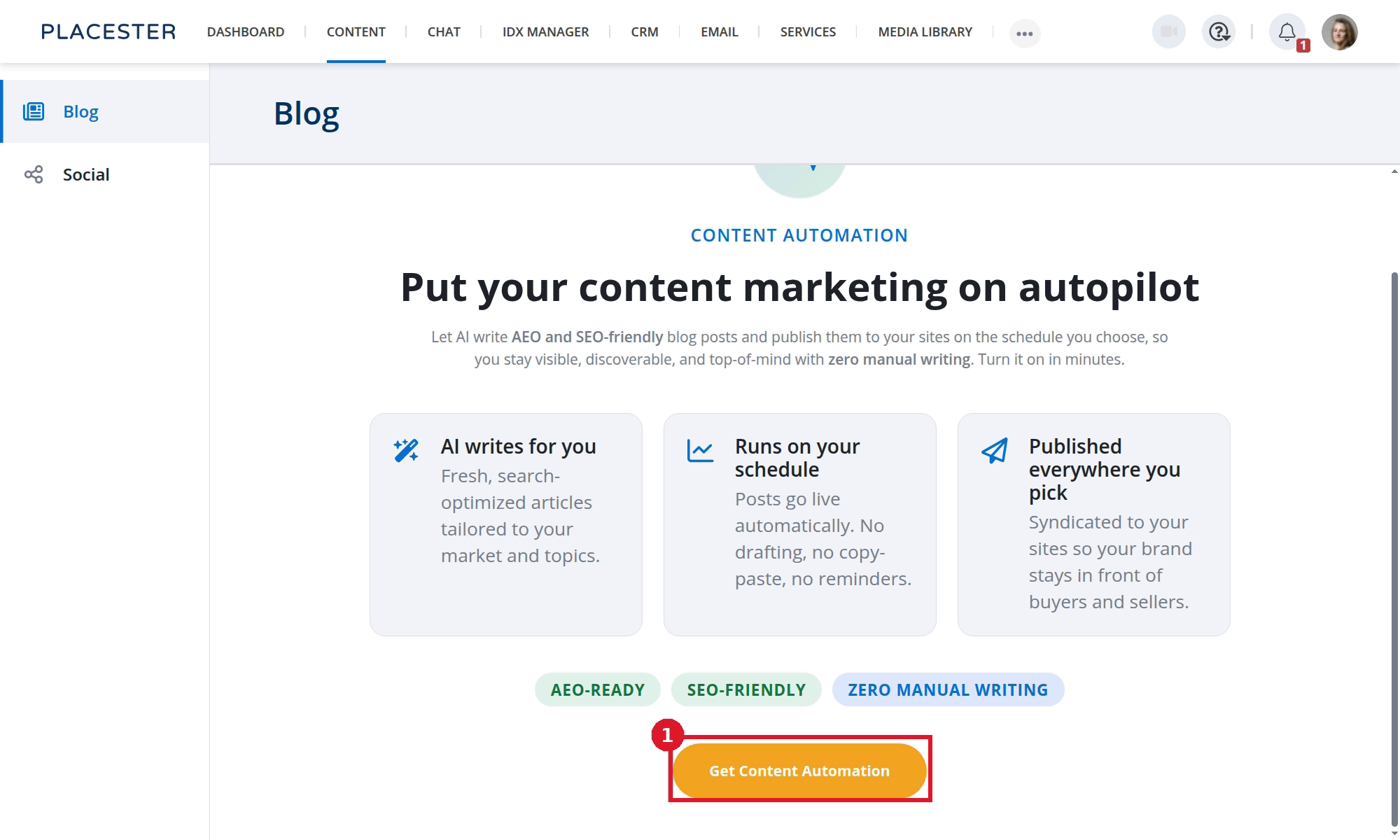
- Get Content Automation opens the add-on purchase flow.
The introduction currently uses plural language about publishing to "sites." Content Automation setup currently supports one publishing destination.
If the add-on is active, Blog shows Dashboard, Configuration, and History.
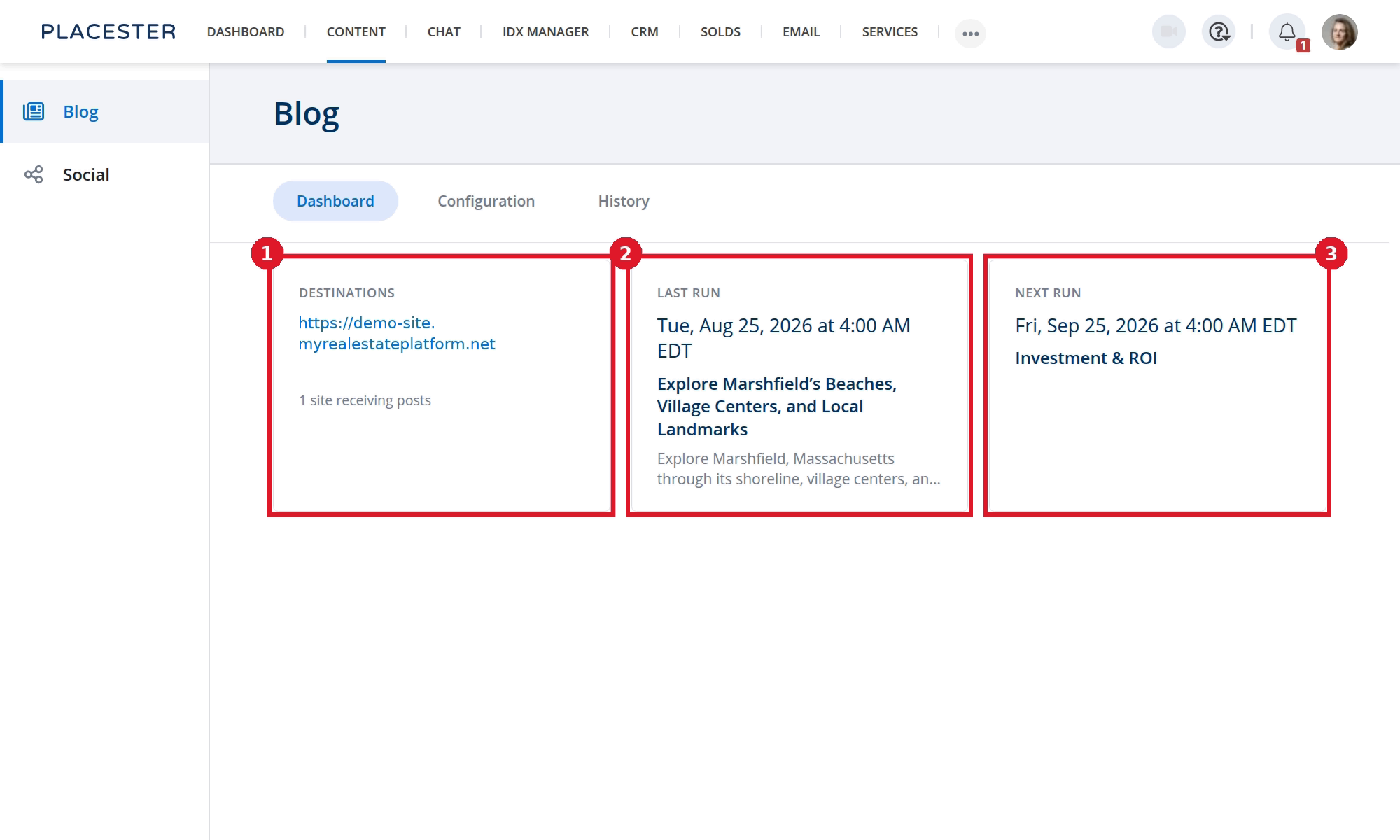
- Destinations shows the website receiving posts.
- Last run shows the most recent run and article.
- Next run shows the next scheduled time and topic.
What Content Automation does not do
- Publish social posts
- Require Social Automation
- Replace your Business Profile—it uses the details already saved there
- Move articles that were already published when you change the destination
Next steps
Start with How To Get Started with Content Automation.
Need more help?
If you have questions about Content Automation, contact Placester Support at support@placester.com.