Troubleshooting Content Automation
Use this list when an expected blog post is missing or a run shows FAILED.
1. Confirm the add-on is active
Open Content → Blog. If you see Get Content Automation, the add-on is not on this account. Buy it from that wall or from Plan & Billing → Product Add-ons.
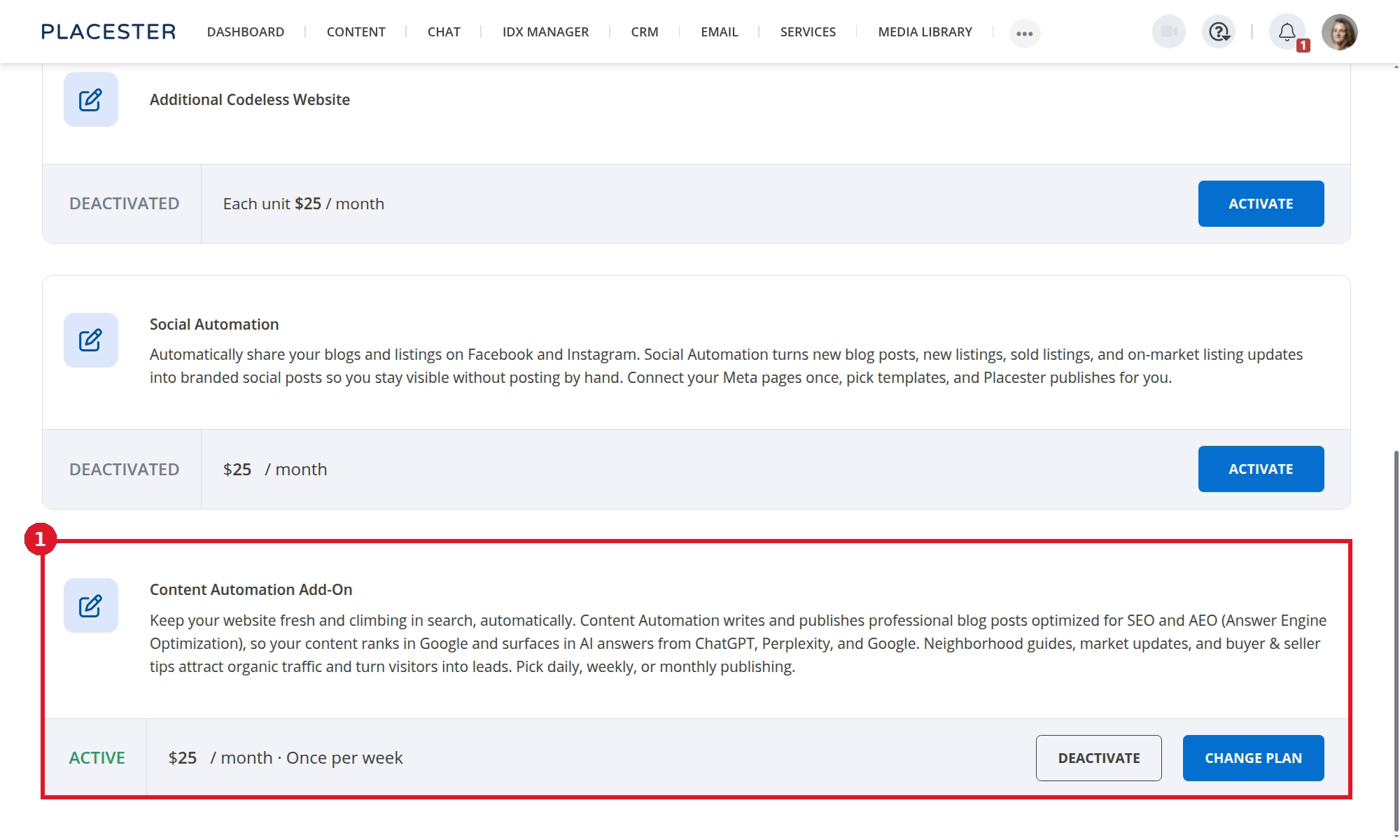
- The Content Automation card should show ACTIVE, the current price and cadence, and the DEACTIVATE and CHANGE PLAN actions.
Prices shown in Placester are the current prices for your account and may differ from the screenshot.
Content Automation and Social Automation are separate purchases.
2. Finish the Business Profile
Dashboard and Configuration show a banner when the profile needs attention. Add your name and operating areas, then return to Blog.
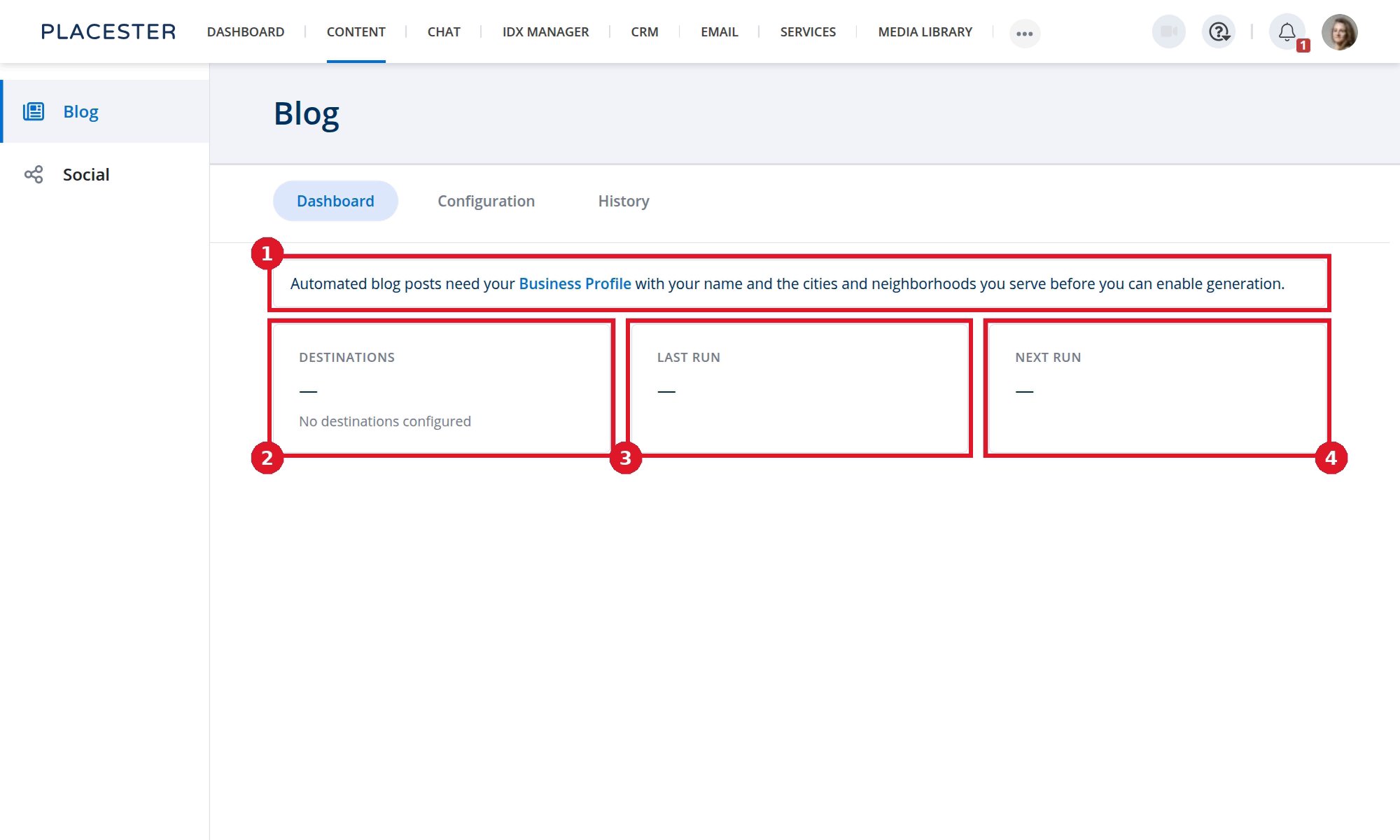
- The banner links to Business Profile.
- Destinations is empty until setup selects a site.
- Last run is empty until a run completes.
- Next run is empty until setup creates a schedule.
See Understanding and Updating Your Business Profile.
3. Check publishing mode
Open Configuration. If mode is Off, nothing is generated. Switch to Publish immediately or Draft, then publish.
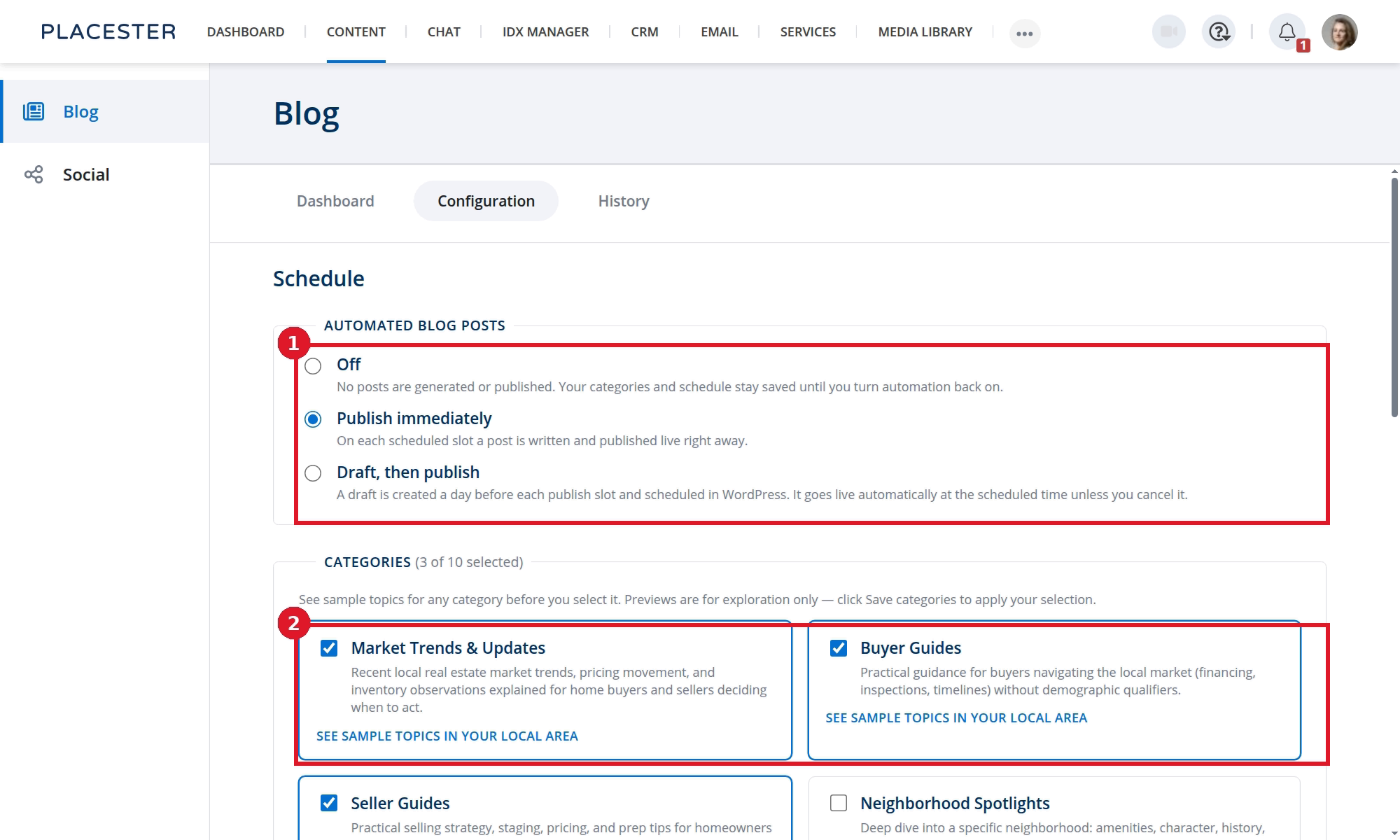
- Confirm the publishing mode is not Off.
- Confirm at least one category is selected and saved.
4. Check that the slot has arrived
Open Dashboard.
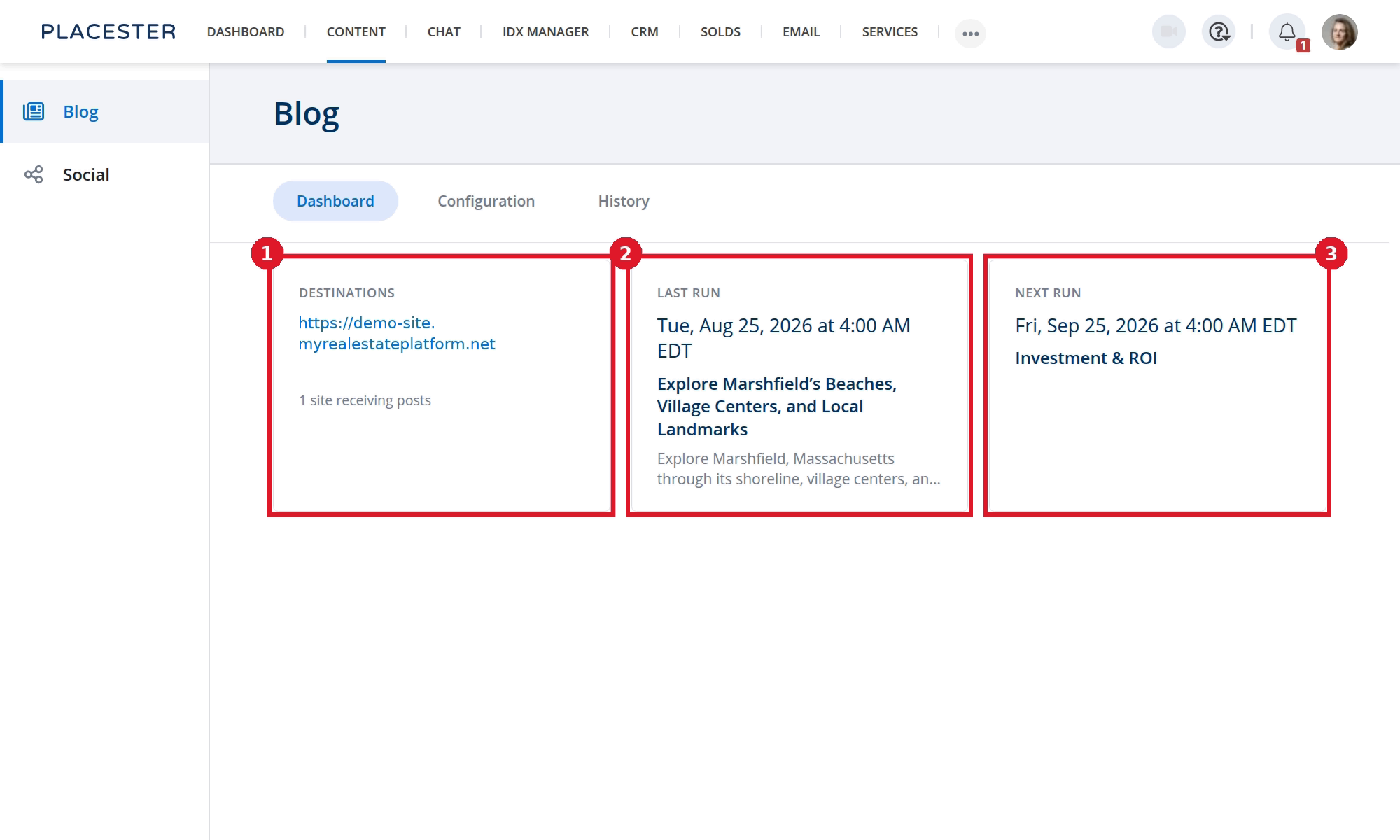
- Confirm Destinations shows the expected site.
- Check Last run for the most recent article.
- Check Next run for the next eligible time.
Monthly and weekly plans do not produce a post every day.
5. Confirm the destination site
Open Configuration and confirm the selected website is the one you are checking. Open that site's blog, not a different Placester site.
If Configuration says there are no publishable sites, create a site first.
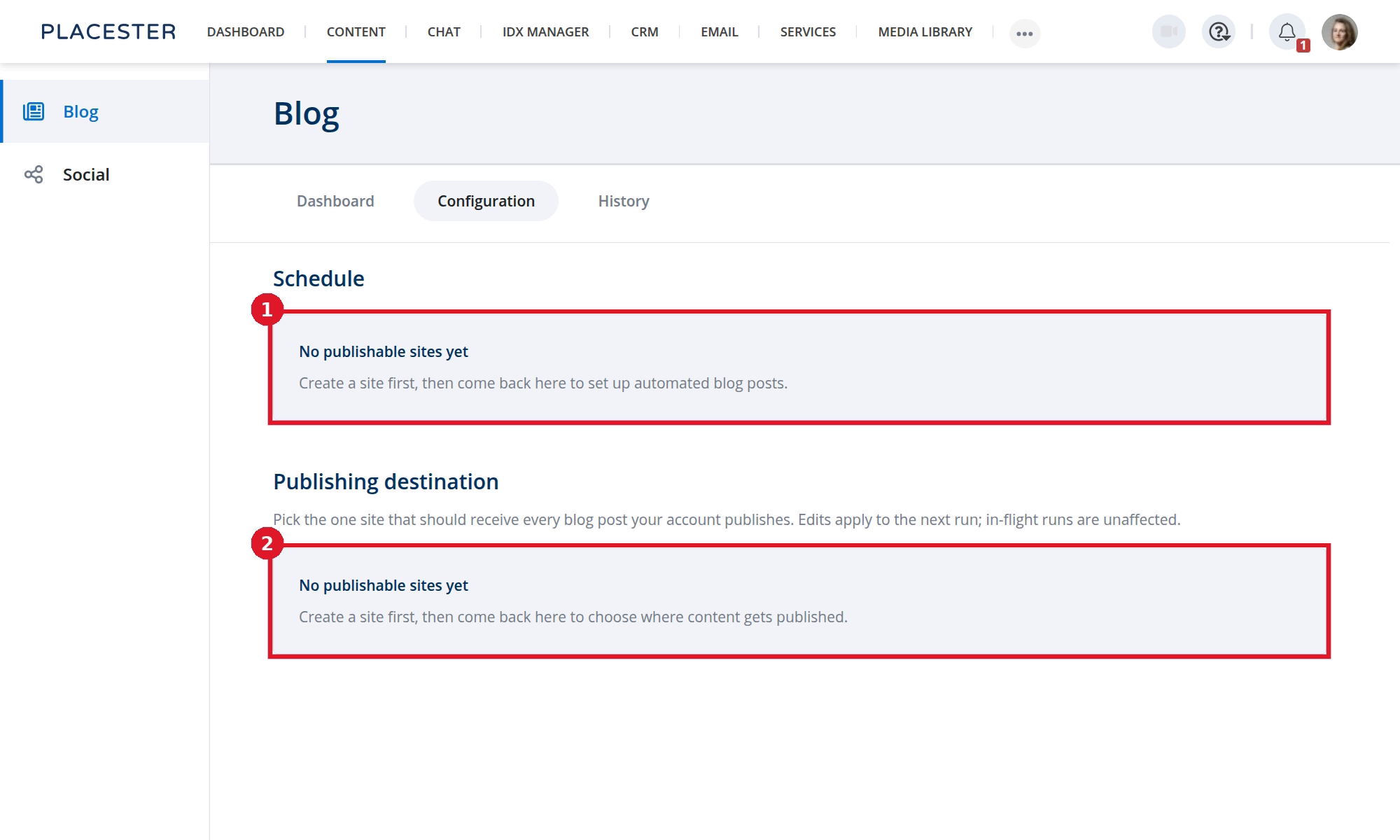
- The schedule cannot be configured until a publishable site exists.
- The destination section also shows No publishable sites yet.
6. Read History
Open History.
- SCHEDULED or IN PROGRESS: Wait; the run is not finished.
- PUBLISHED: Expand the row and select View article to open the live post.
- FAILED: Expand the row and review its destination details. If the cause is not clear, contact Placester Support.
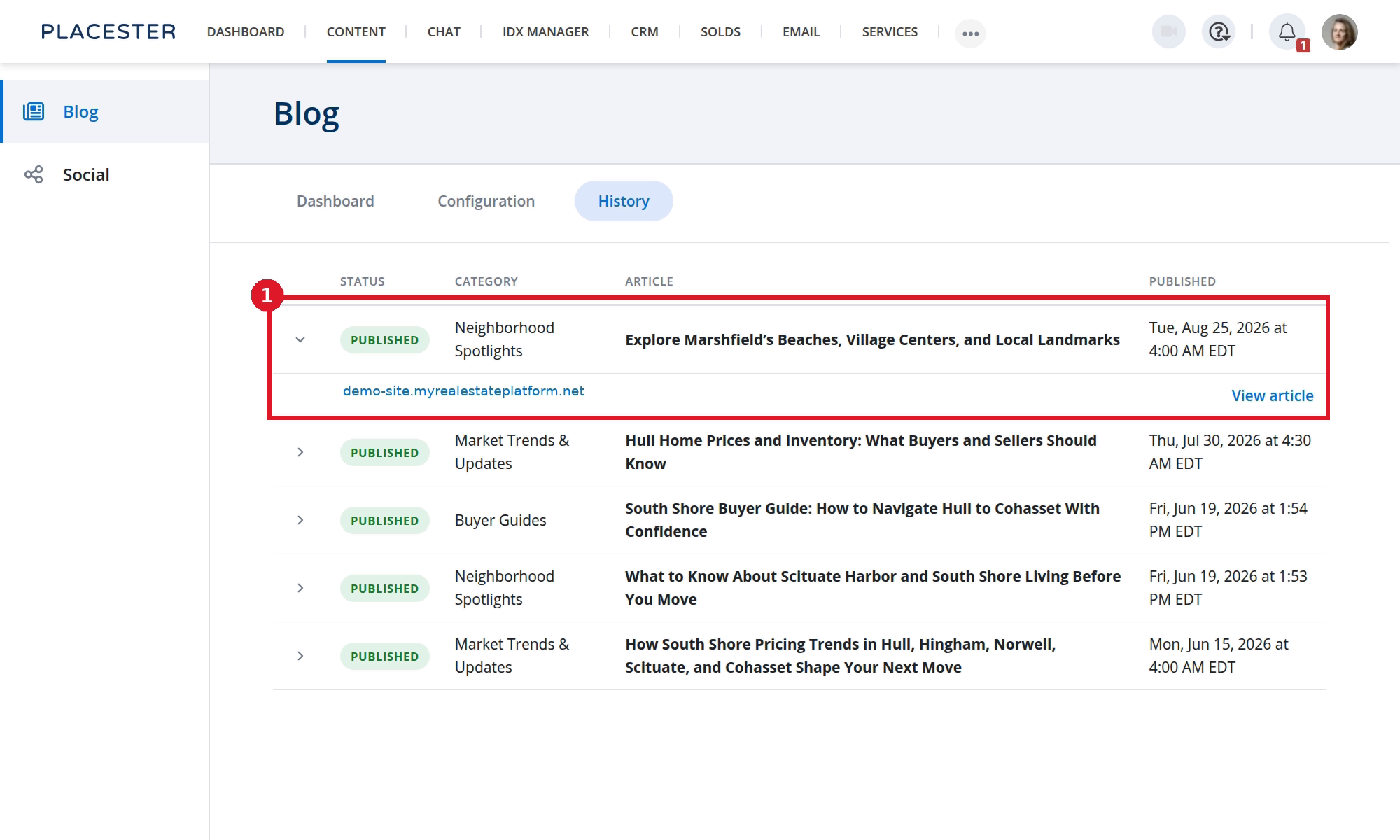
- The expanded row shows the destination and View article when a live article is available.
7. Confirm what Content Automation does not do
- It does not publish to Facebook or Instagram.
- It does not backfill a library of articles the day you turn it on; it follows the schedule.
- Hand-written posts do not appear in History.
See What is Content Automation?.
Need more help?
If you have questions about Content Automation, contact Placester Support at support@placester.com.