Adding Your Facebook App ID [Codeless]
This article will show you where to Add your Facebook App ID with Placester.
Please note that you need to generate your Facebook App ID first in order to proceed. We recommend that you follow the guidelines detailed down on this blog.
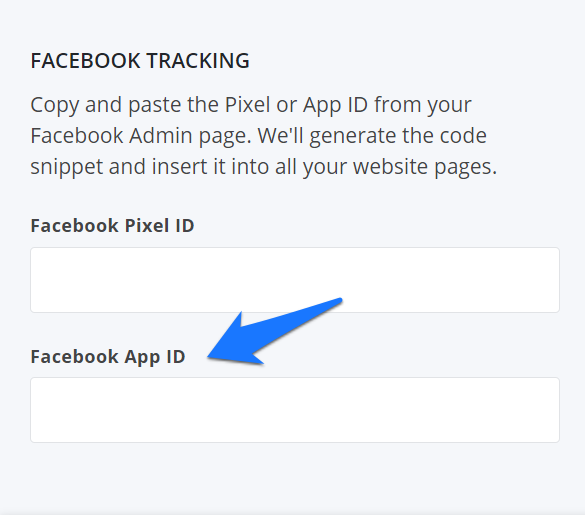
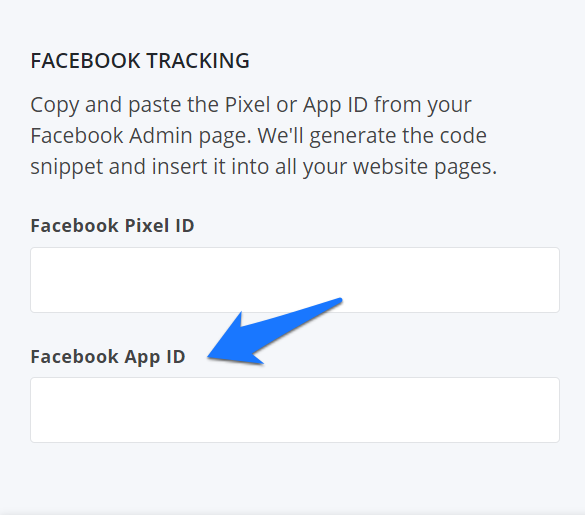
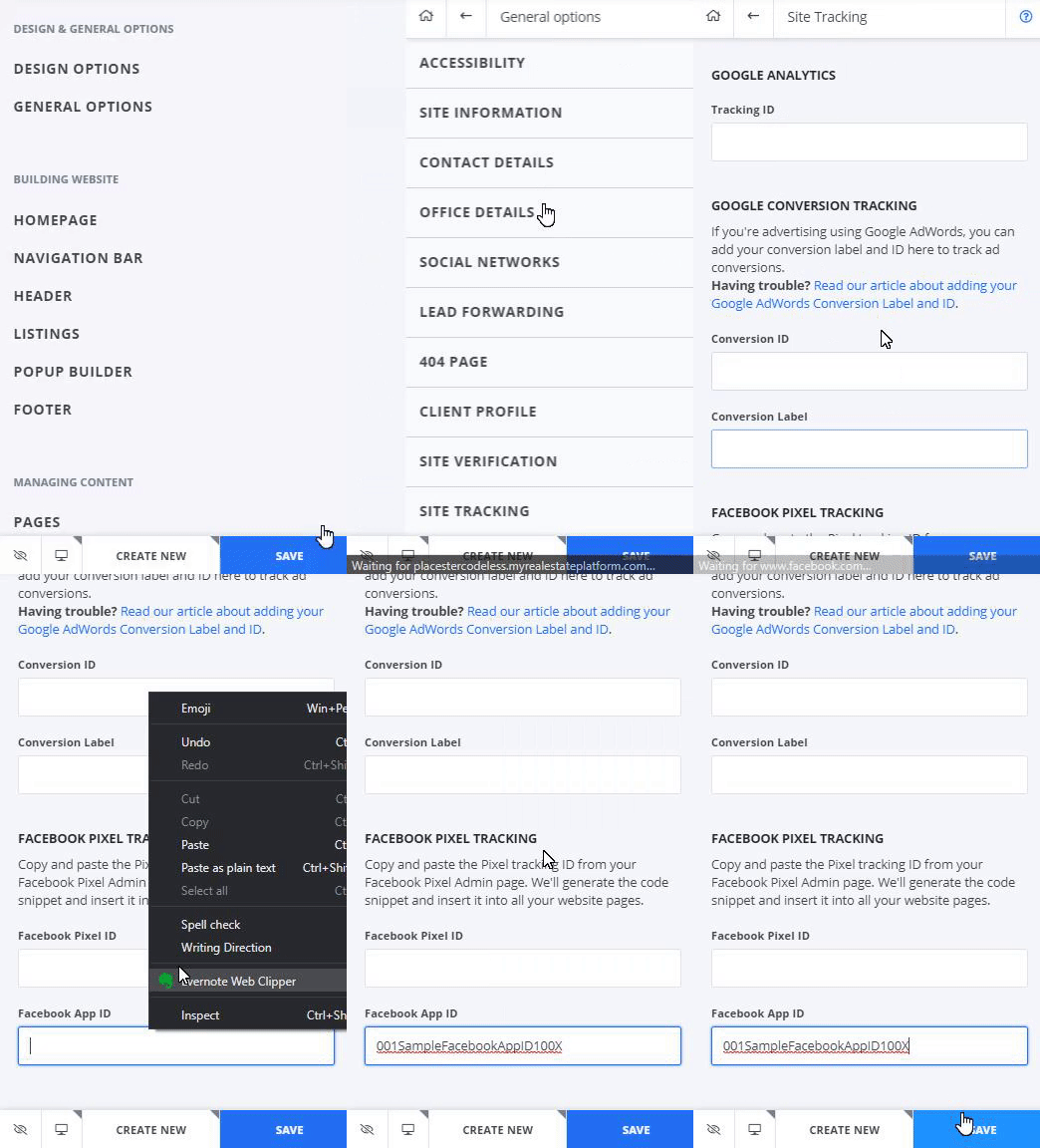
General Options > Site Tracking > Facebook App ID
After generating your Facebook app ID, log in to your Placester dashboard to edit your site. Proceed to General options, select Site tracking and scroll down to Facebook app ID where you will paste the app ID.
Need More Help?
For questions, concerns, or feedback, please chat with our team: https://app.placester.com/chat