Creating a Contact Page ( Codeless )
These steps are for the Legacy Customizer. For Site Edit, see Choosing a Page Type.
This article will show you How to create a Contact P****age with Placester.
It is important for every website to have a contact page where your website visitors can easily check your contact details to reach you directly.
Before you proceed, make sure that contact details are updated on your website. For more details you can check it Editing Your Codeless Contact Details Codeless.
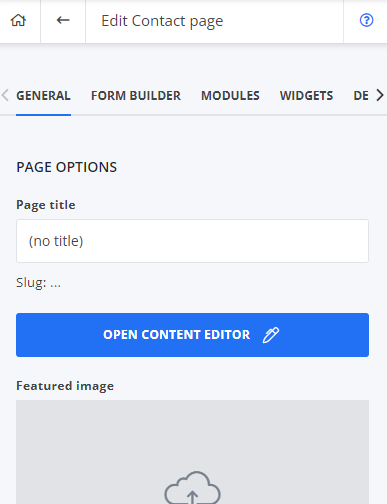
To start, on your Dashboard, click Edit Site > Create new > Page > Contact.
Once done, simply provide needed details like title, description, featured image & etc. Also, you can add modules, widgets or change the design on how the page looks like.
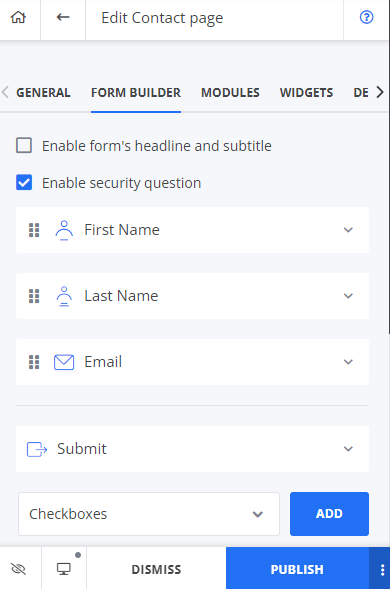
Form Builder
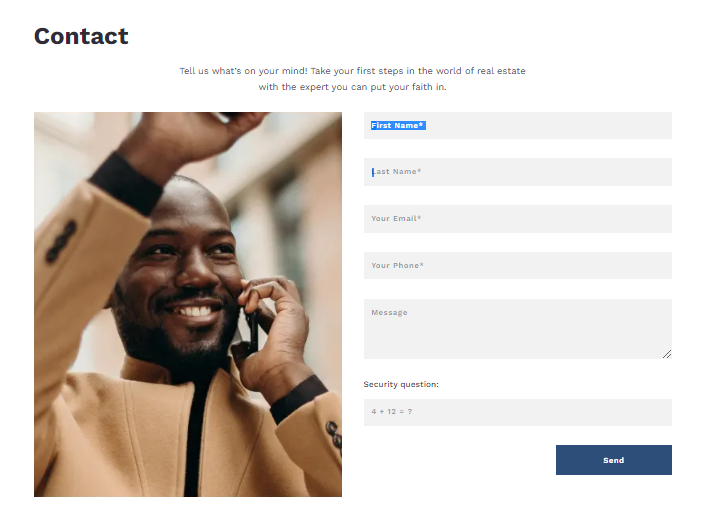
This is where the site visitors will fill in their details and submit them in order for them to be reached out by you and once submitted, these details will be listed to your CRM. You will also receive an email notification for this. Once completed, simply publish it to proceed.
Once published, you can add it to your navigation page/ menu.
Need More Help?
For questions, concerns, or feedback, please chat with our team: https://app.placester.com/chat