Adding Modules to Pages, Areas, Agents, Blog post, Offices and Testimonials
These steps are for the Legacy Customizer. For Site Edit, see Setting Shared Modules and Sidebars for Blog Posts, Areas, Agents and Offices.
This article will show you how to add modules to Pages, Areas, Agents, Blog posts, Offices, and Testimonials
Adding Modules to Pages, Areas, Agents, Blog posts, Offices, and Testimonials
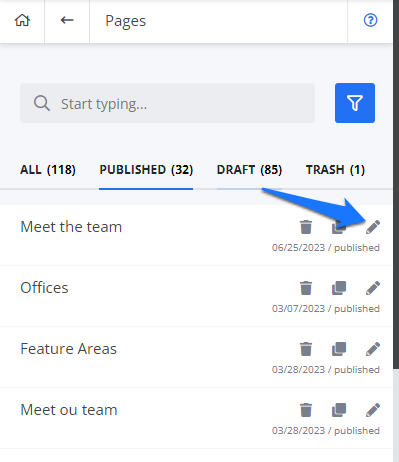
Once you're on the customizer, choose a page, blog post, area page, Agent page, office, or testimonials that you want to have modules. Click the pencil icon and you will be redirected to the content editor page.
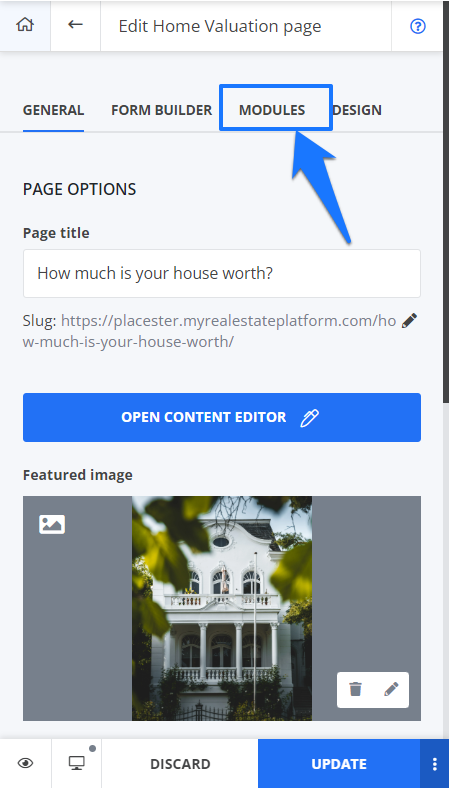
All of the content editors will have this module tab. Just click on it and choose the modules that you want to be added to your page.
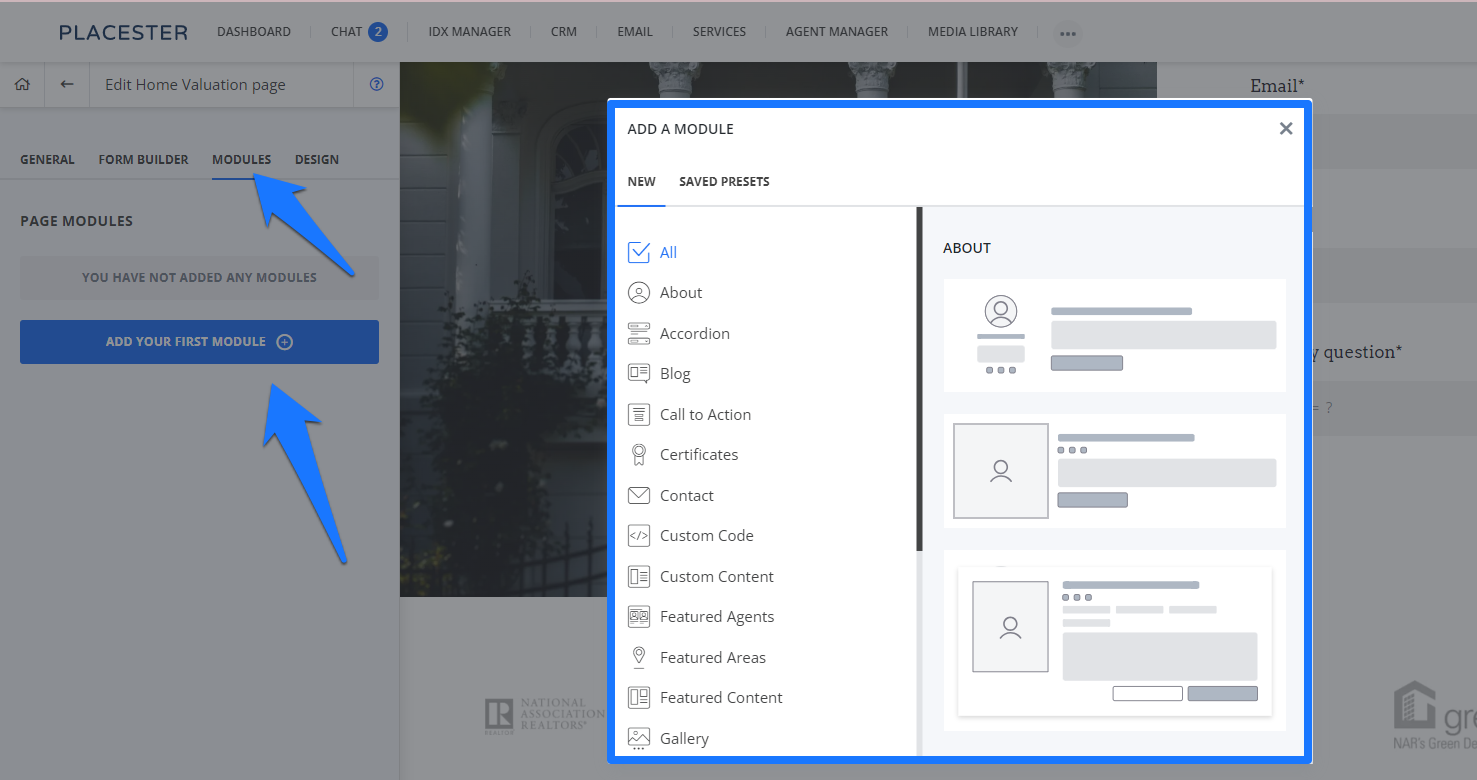
Learn more about How to Setup Modules, Manage their Options, and Build Module Presets Codeless
For questions, concerns, or feedback, please chat with our team: https://app.placester.com/chat